

The private network for your alumni

Everyone you studied with. In one room again.

Reunion gives your school or college its own verified alumni network: a directory that finds people, reunions they actually turn up to, and one desk to run it all.

Every batch. Every teacher. Every year.

So we put it all in one book. Turn the pages.

Want to keep a copy?

Download the brochure (PDF)

The Book of Coming Back

For everyone who ever had a roll number. Every year, a school or college sends hundreds of people out into the world. Most of them are one message away, as long as someone keeps the register.

01 Find

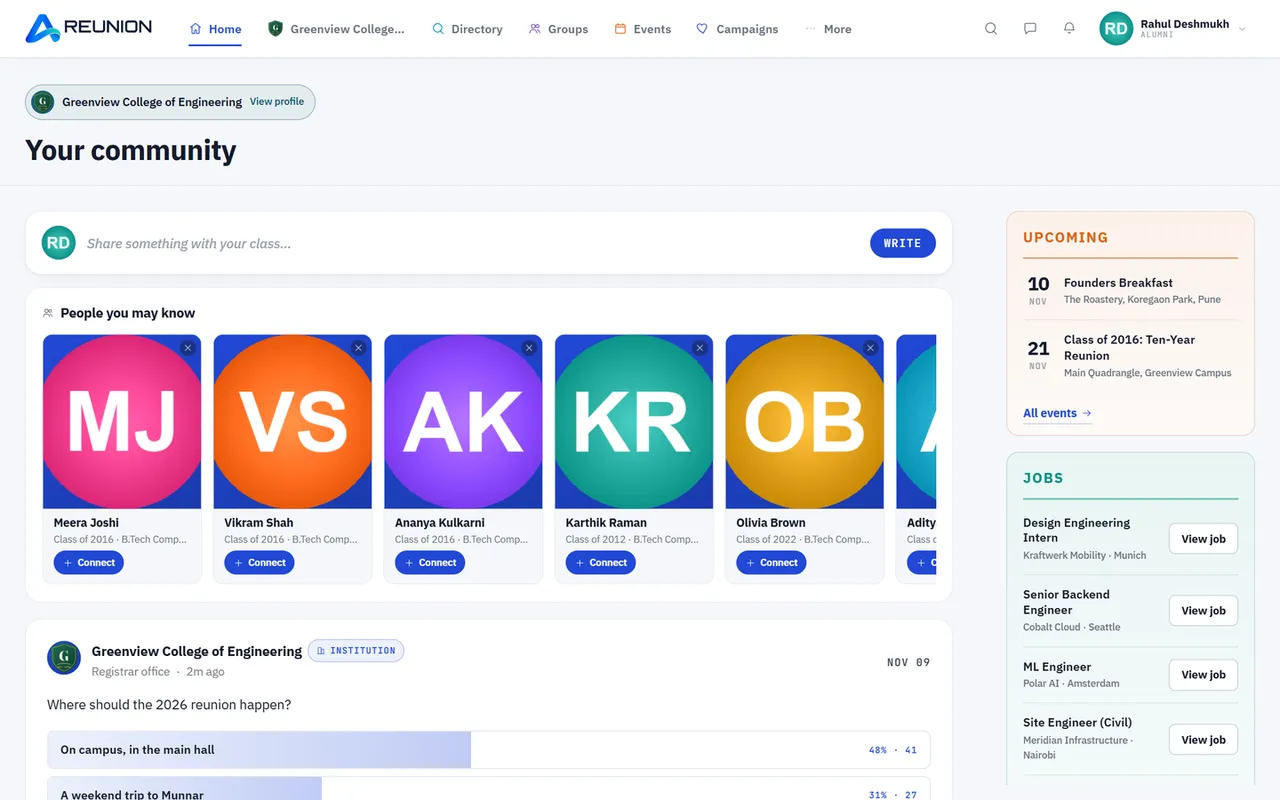
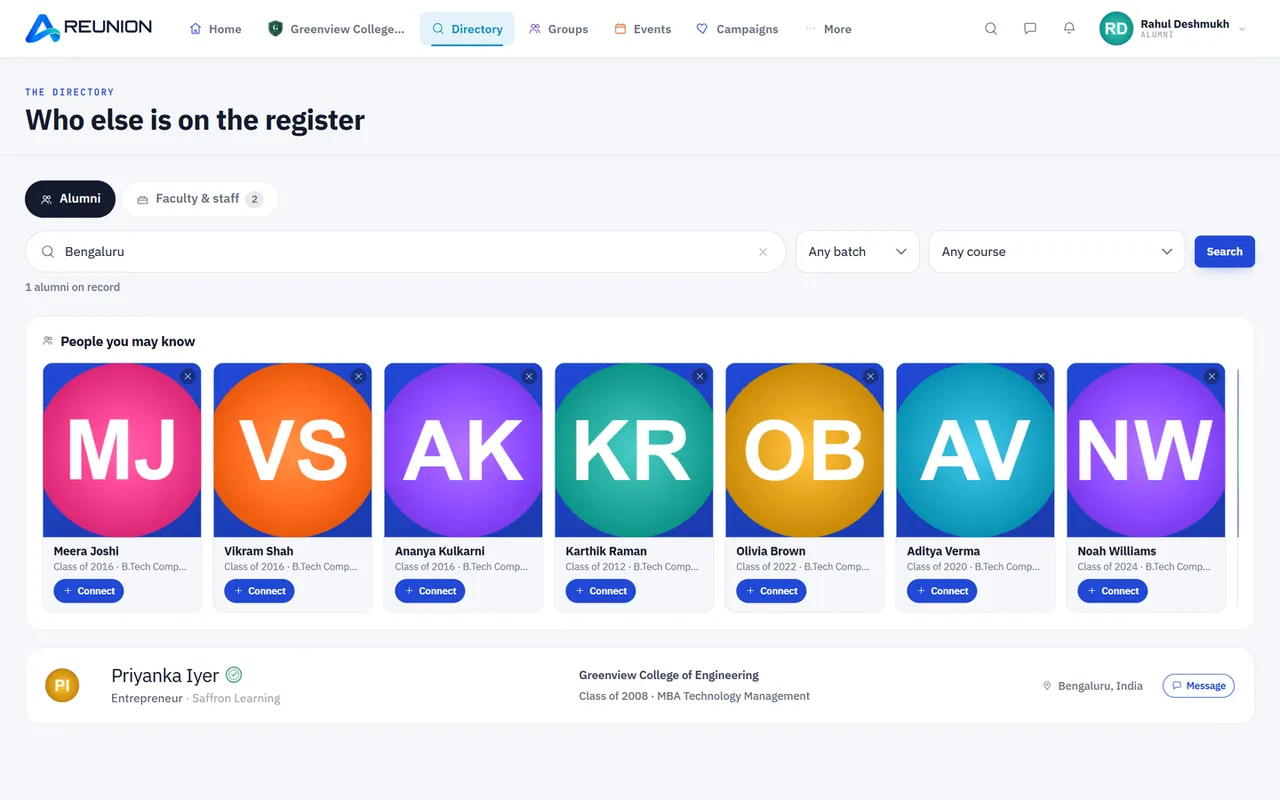
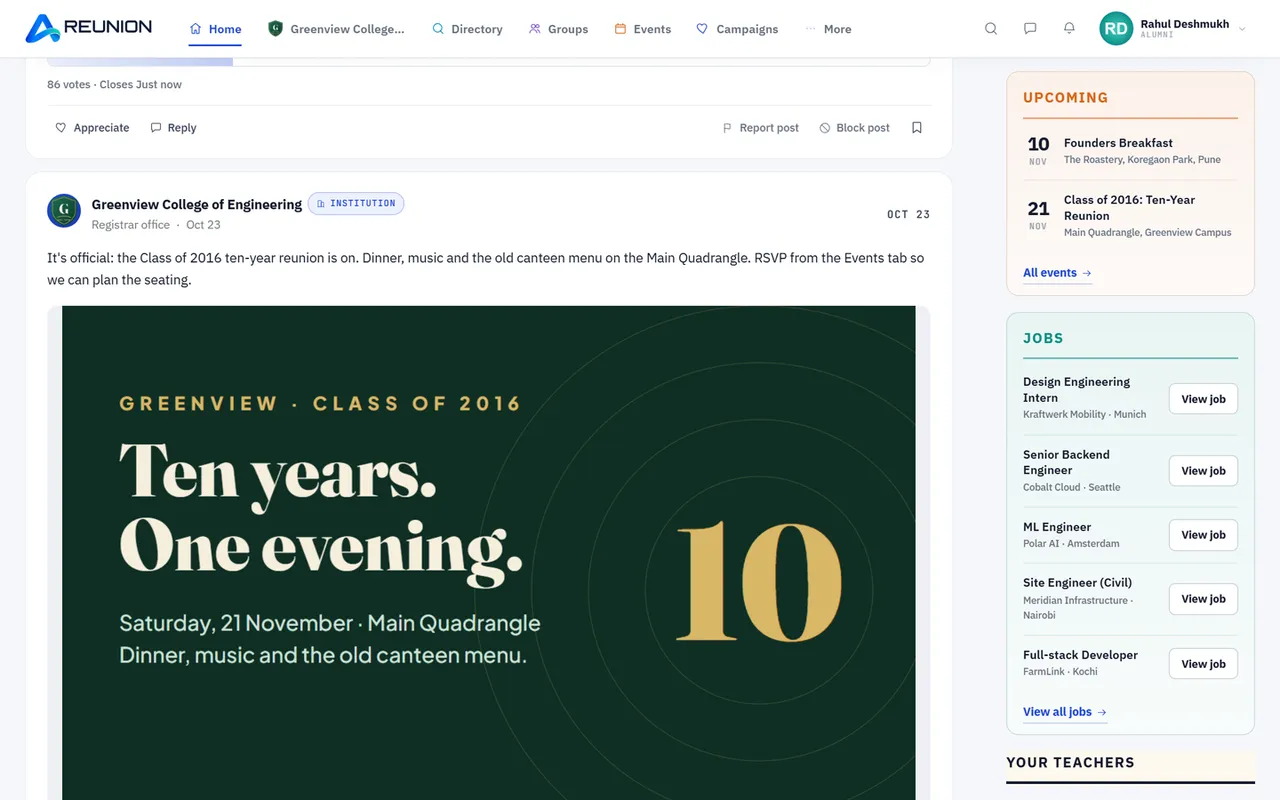
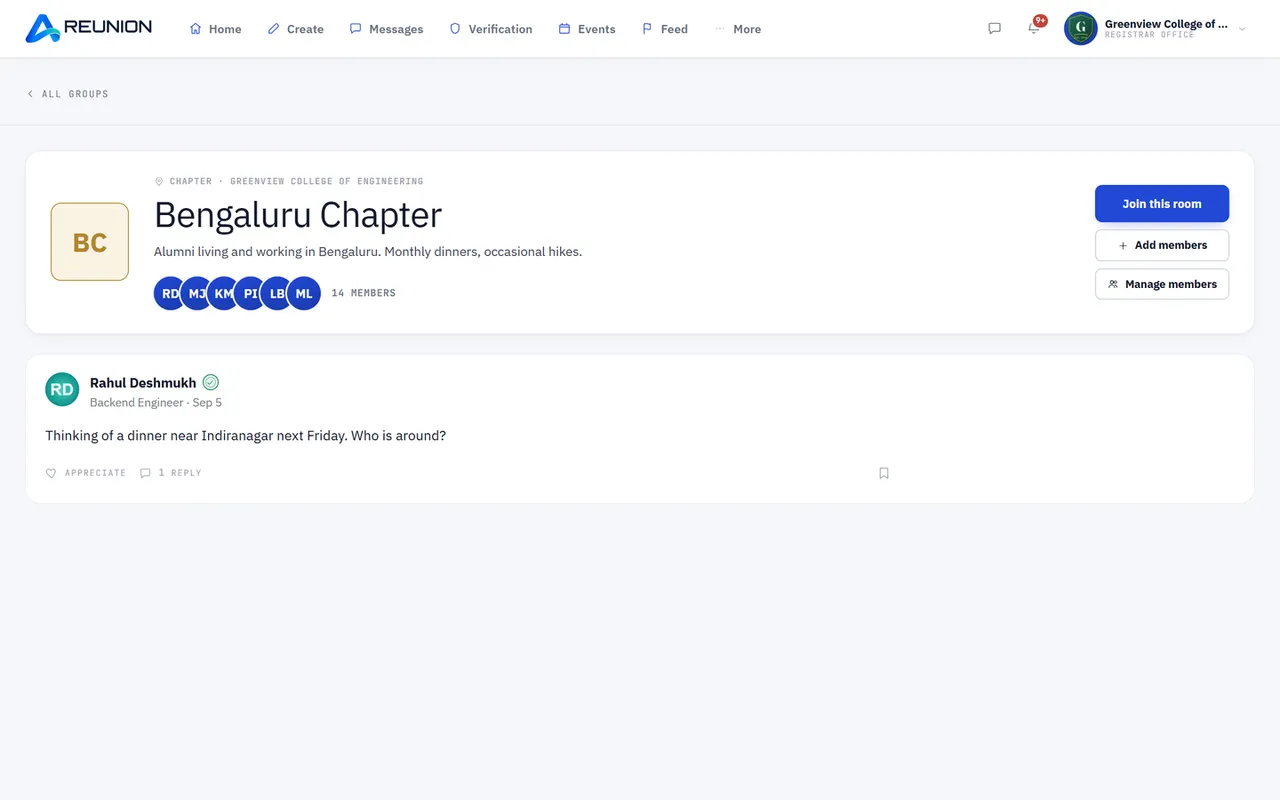
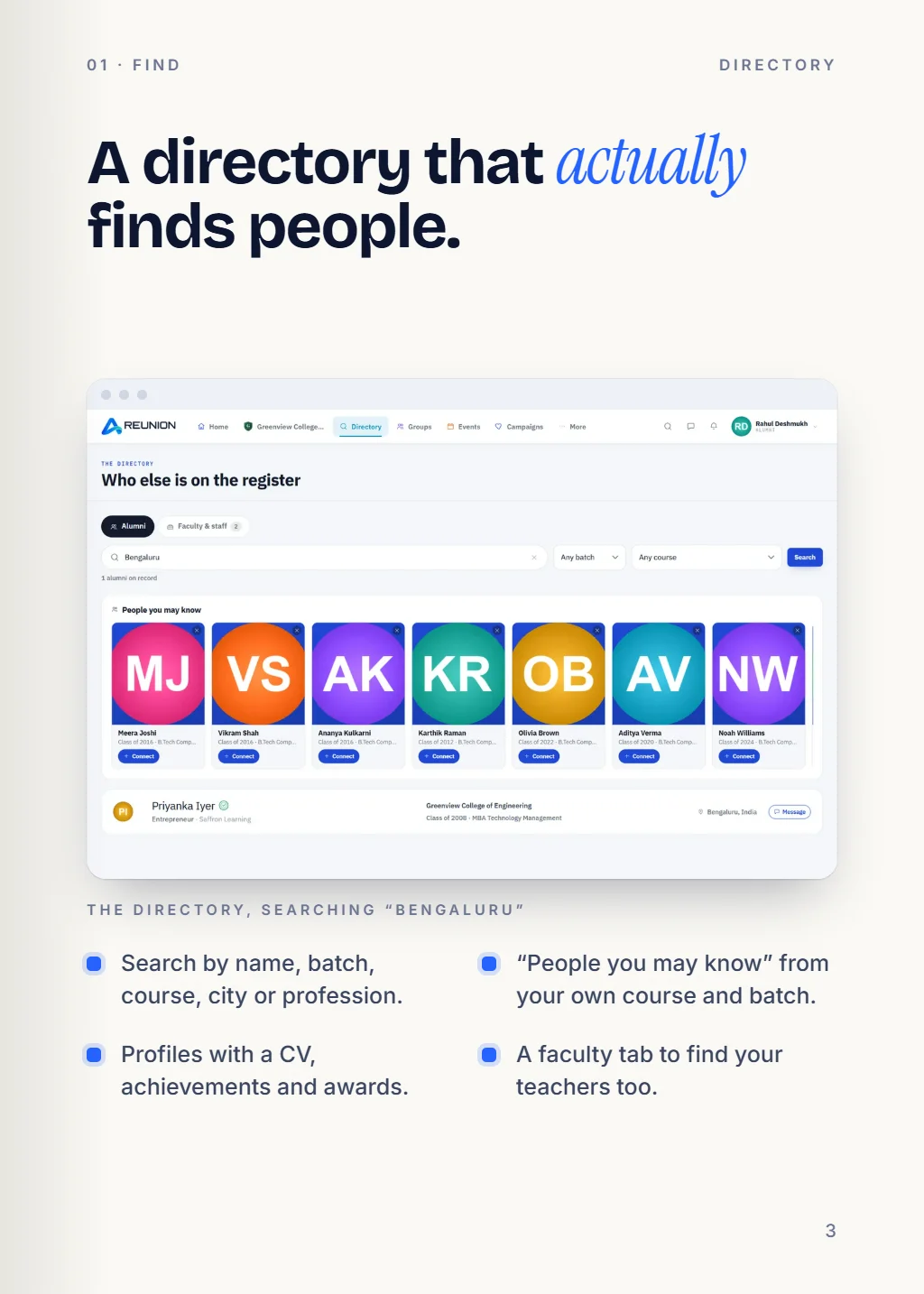
A directory that actually finds people: search by name, batch, course, city or profession, with people you may know, profiles with a CV, and a faculty tab.

02 Belong

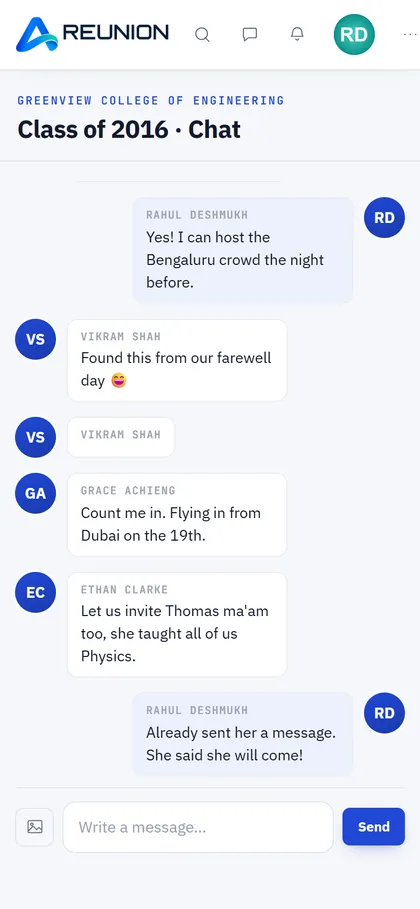
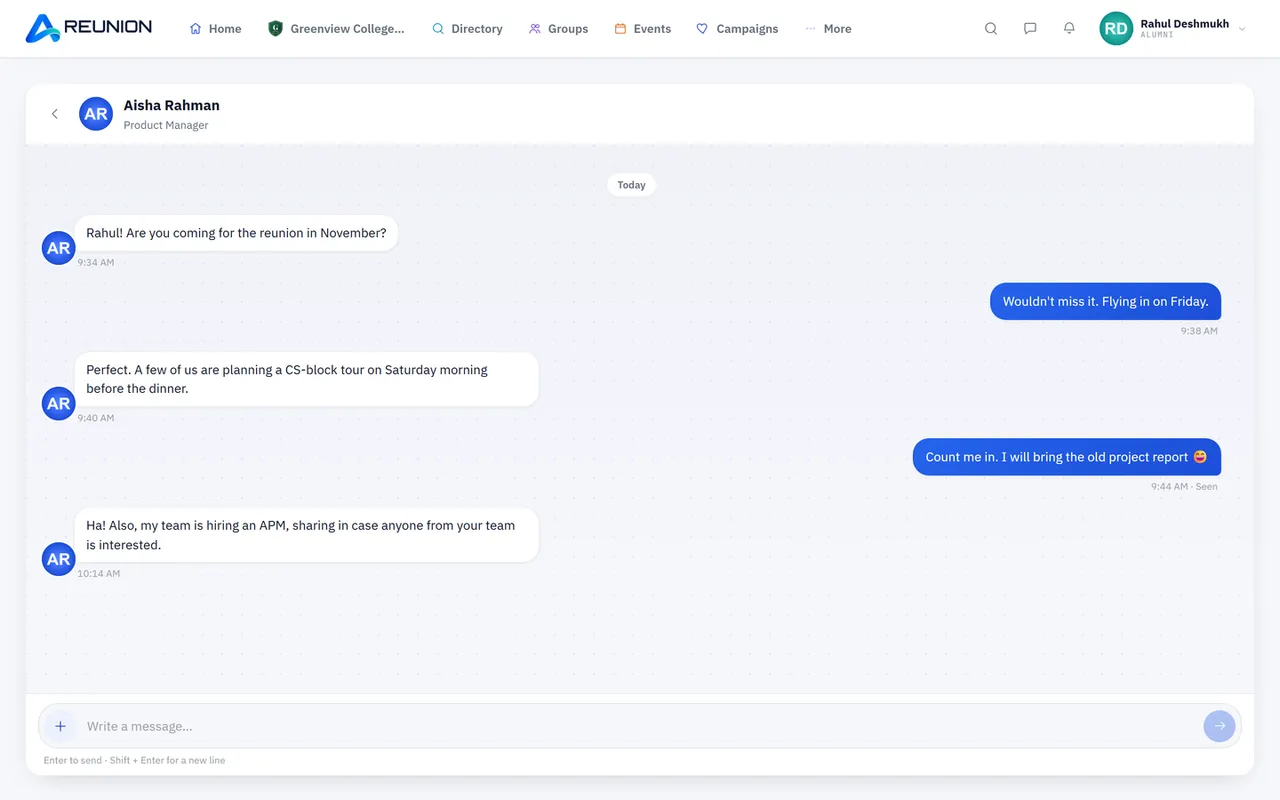
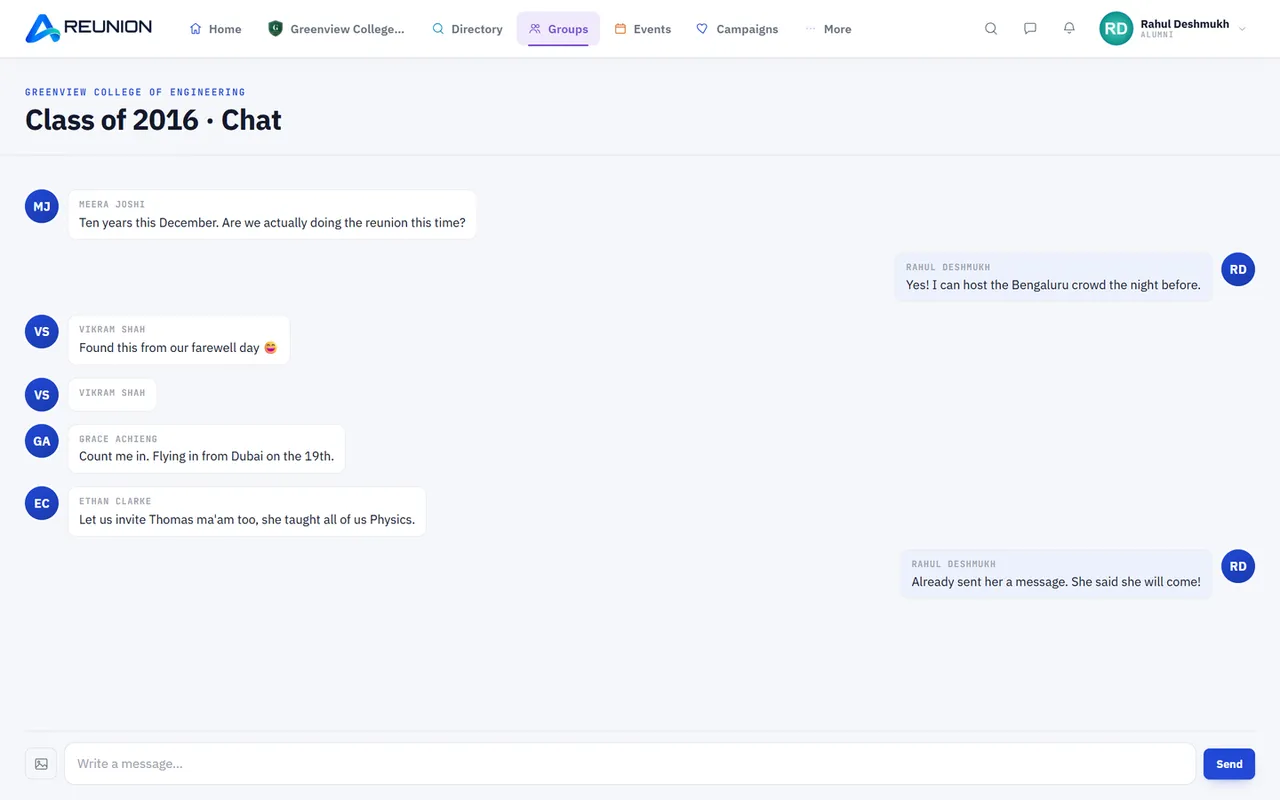
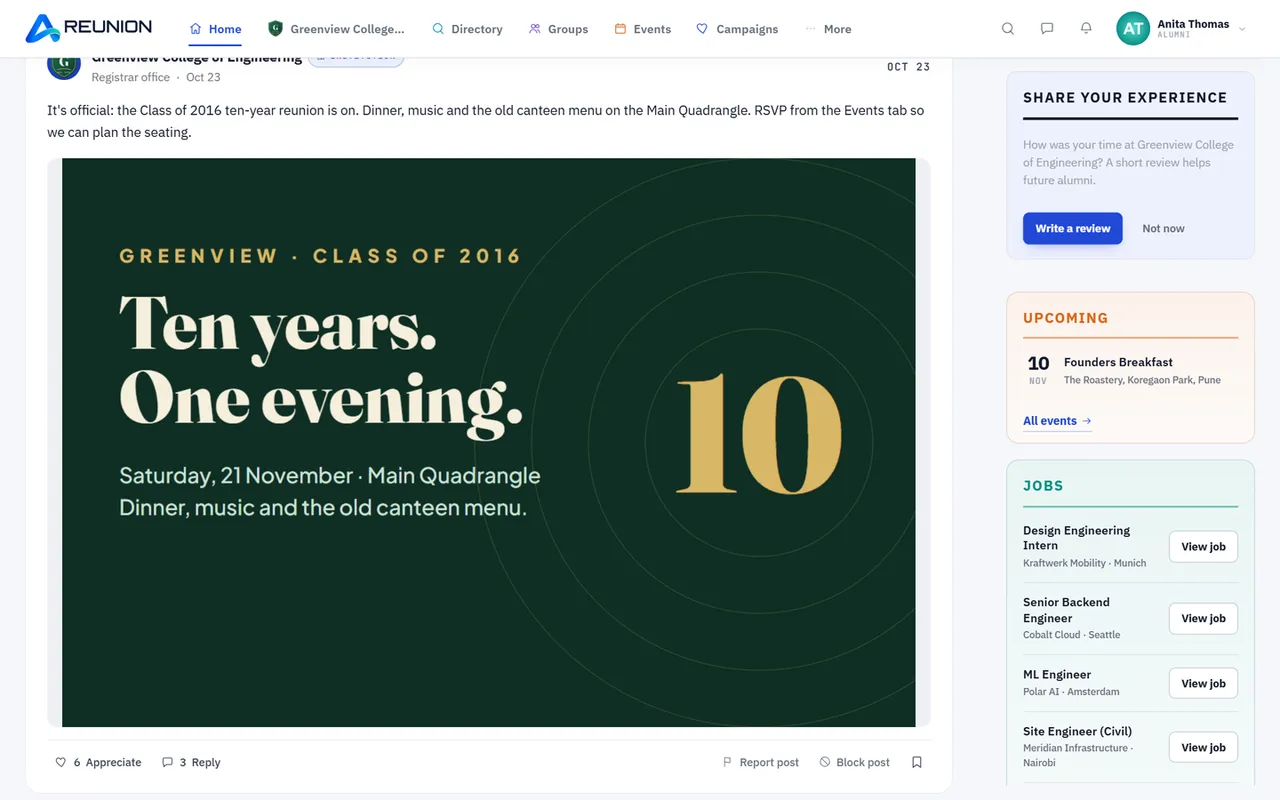
A feed of posts, photos and polls, groups for your batch, city and interests, group chat with photos, voice notes and video, and private messages.

03 Gather

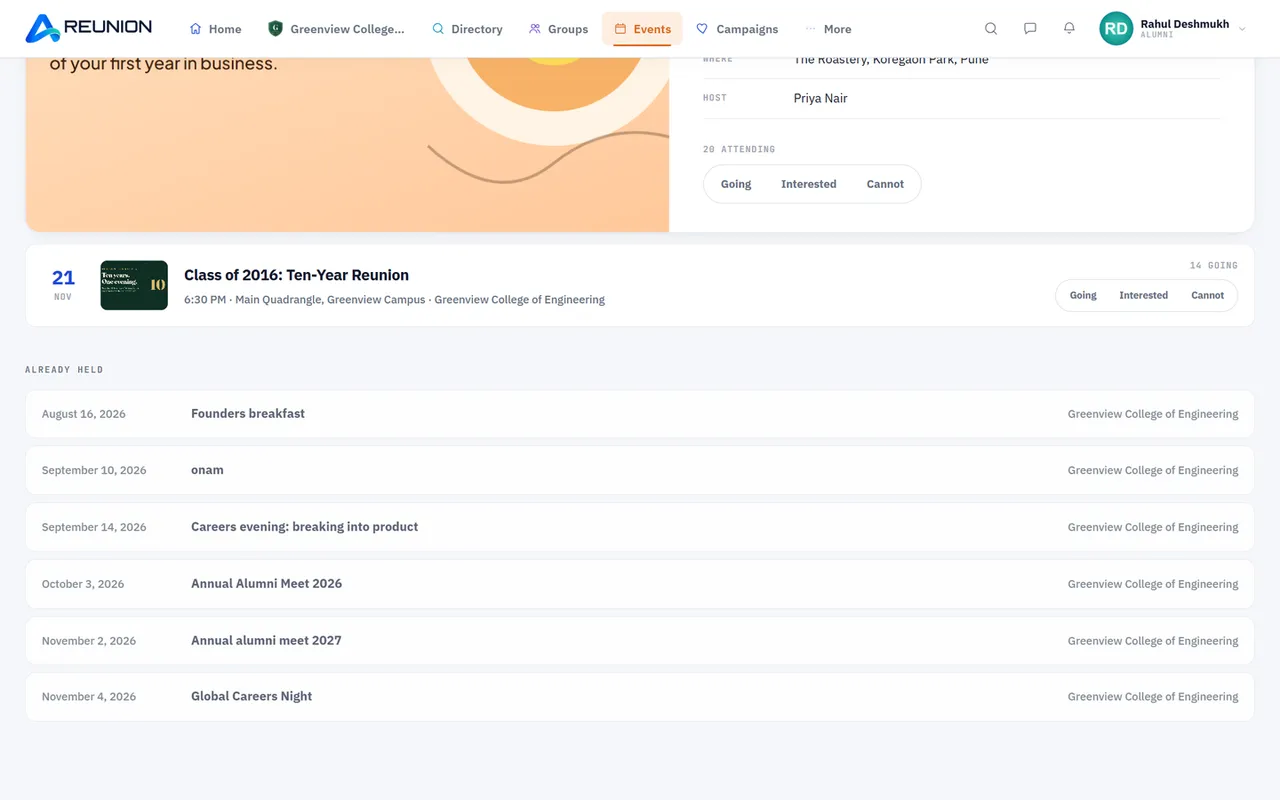
Events for everyone or chosen batches and courses, RSVPs, reminders, Add to Google Calendar, photo galleries and timed polls.

04 Teachers

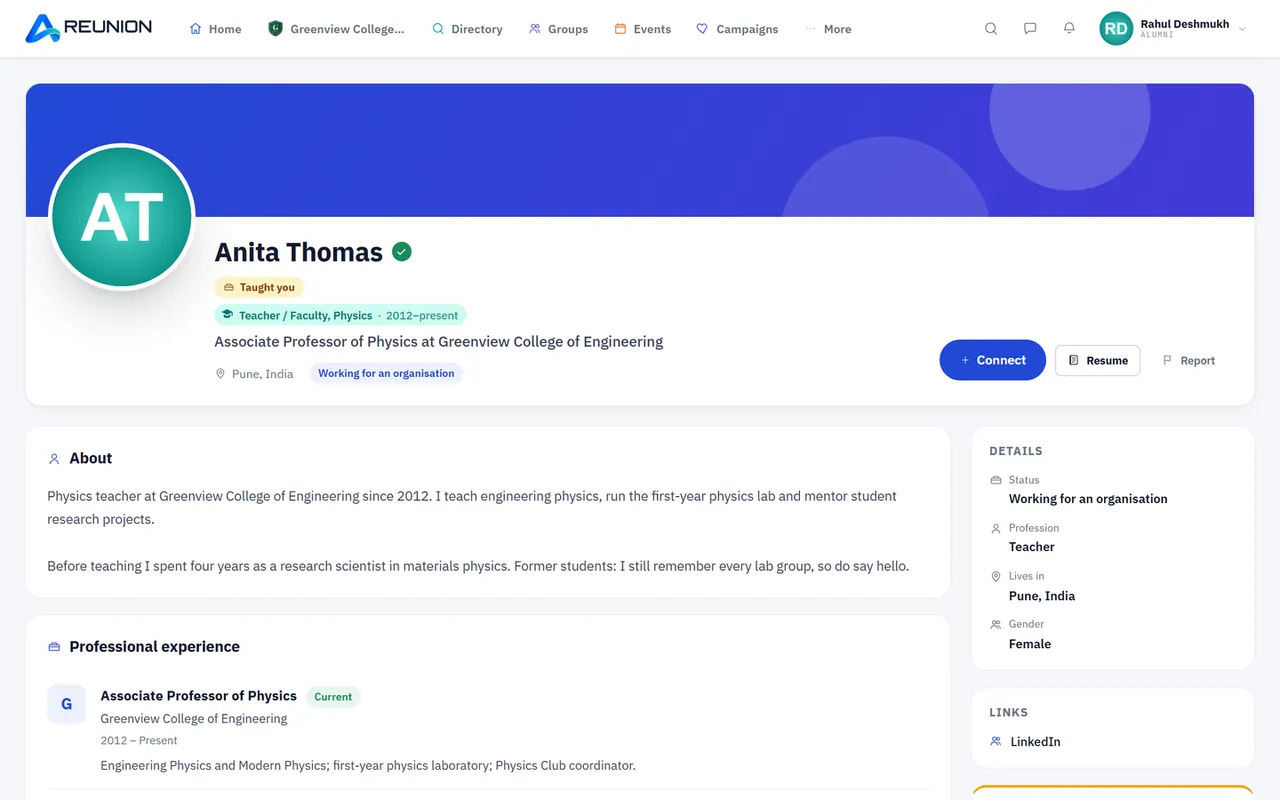
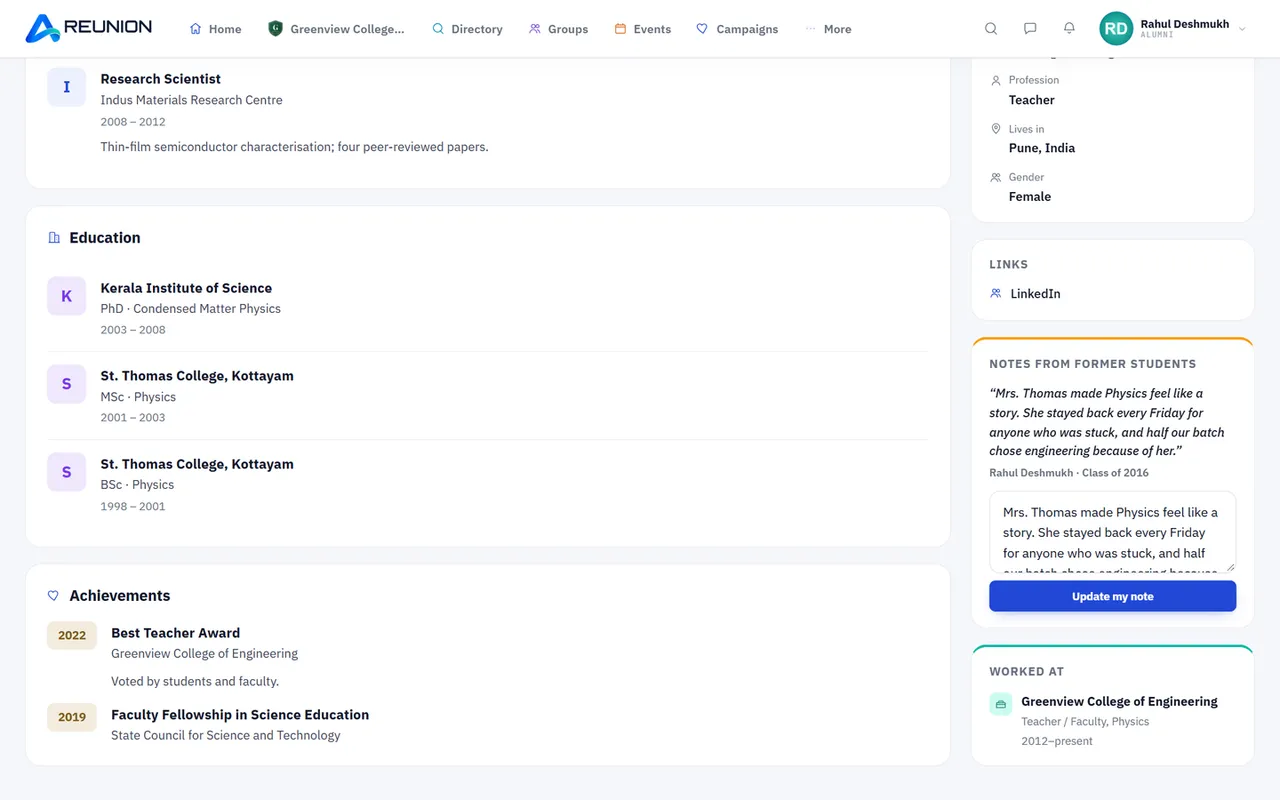
Current and former staff, verified by the institution, "Your teachers" on every alumnus's home page, tributes from former students, and a staff-only room.

05 The desk

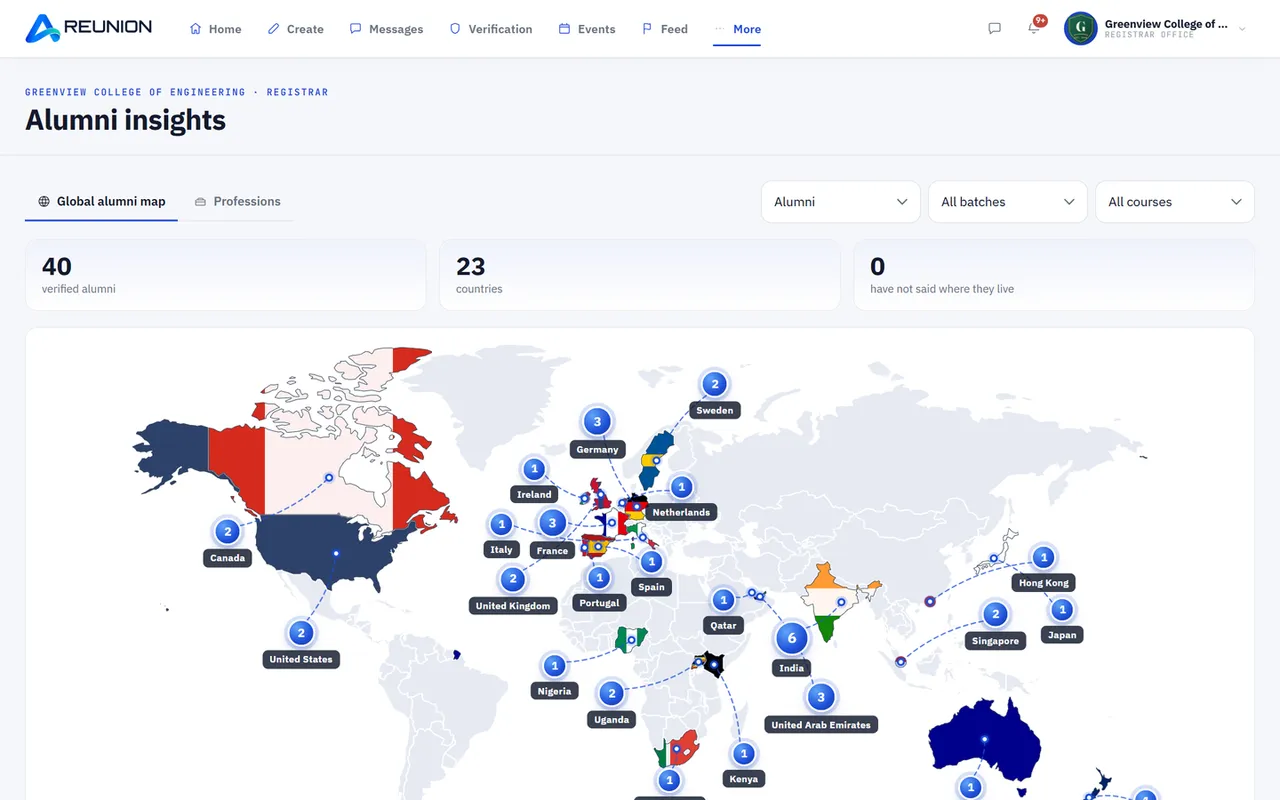
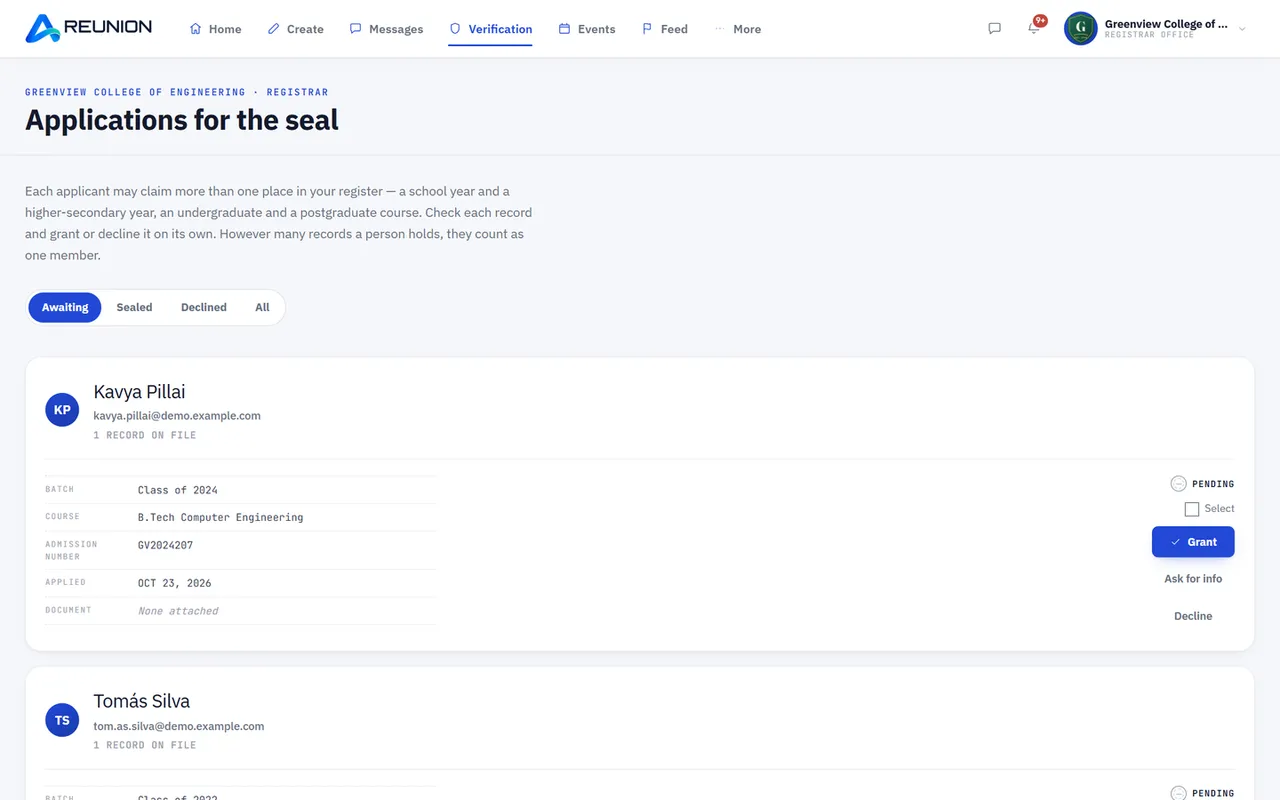
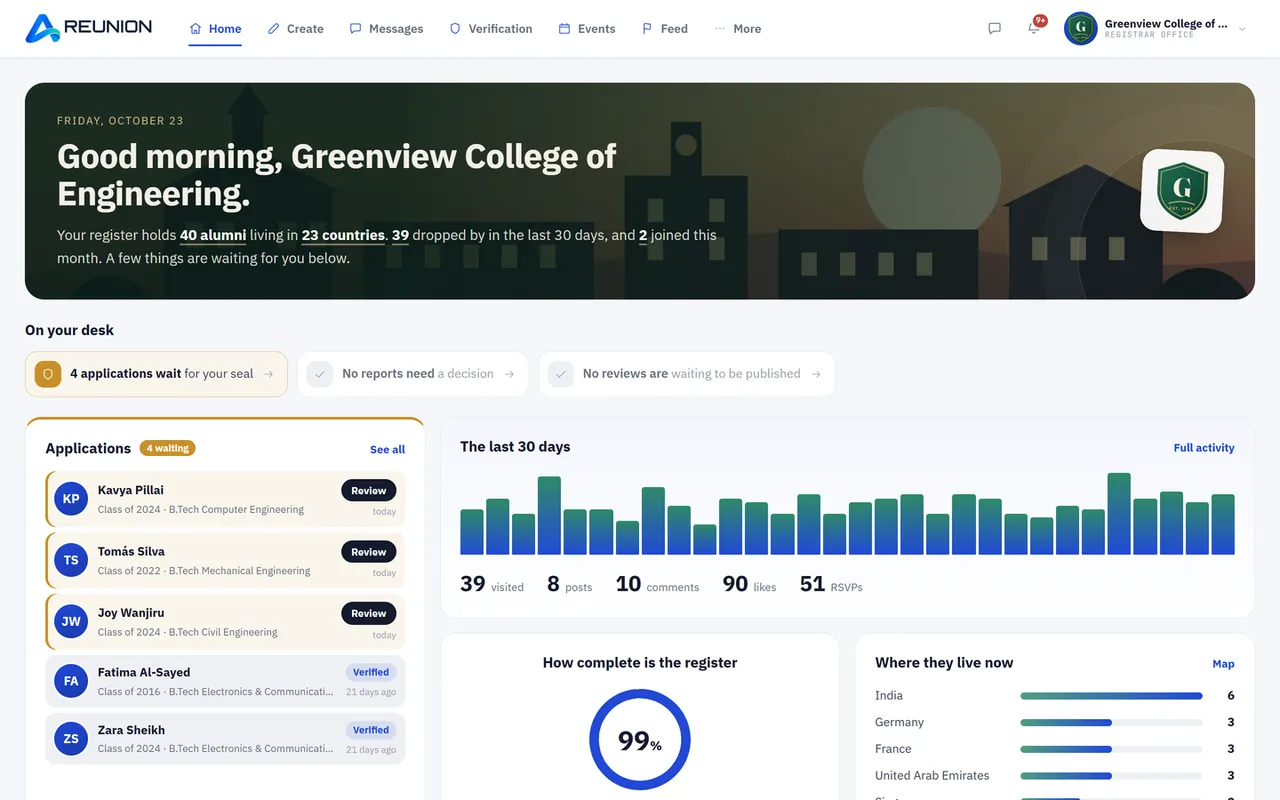
Approve applications, see a live map of where alumni live and what they do, message any batch or course, and run news, gallery, awards, birthdays and fundraising.

06 Trust

Every member is checked against the institution's records. Five privacy levels for each personal detail. Report, block and object to removals. Delete your account any time.

07 Begin

Register your institution, add courses and batches, and share your join link.
Where it all began

Every campus sends thousands of people out into the world. Most alumni offices keep track of them with spreadsheets, forwarded messages and hope. Reunion brings them all back, to one place they actually use.

Who it's for

One network. Three ways in.

For institutions

Your alumni office, without the spreadsheets.

  • Verify every member against your own records.
  • See where alumni live and what they do, on a live map.
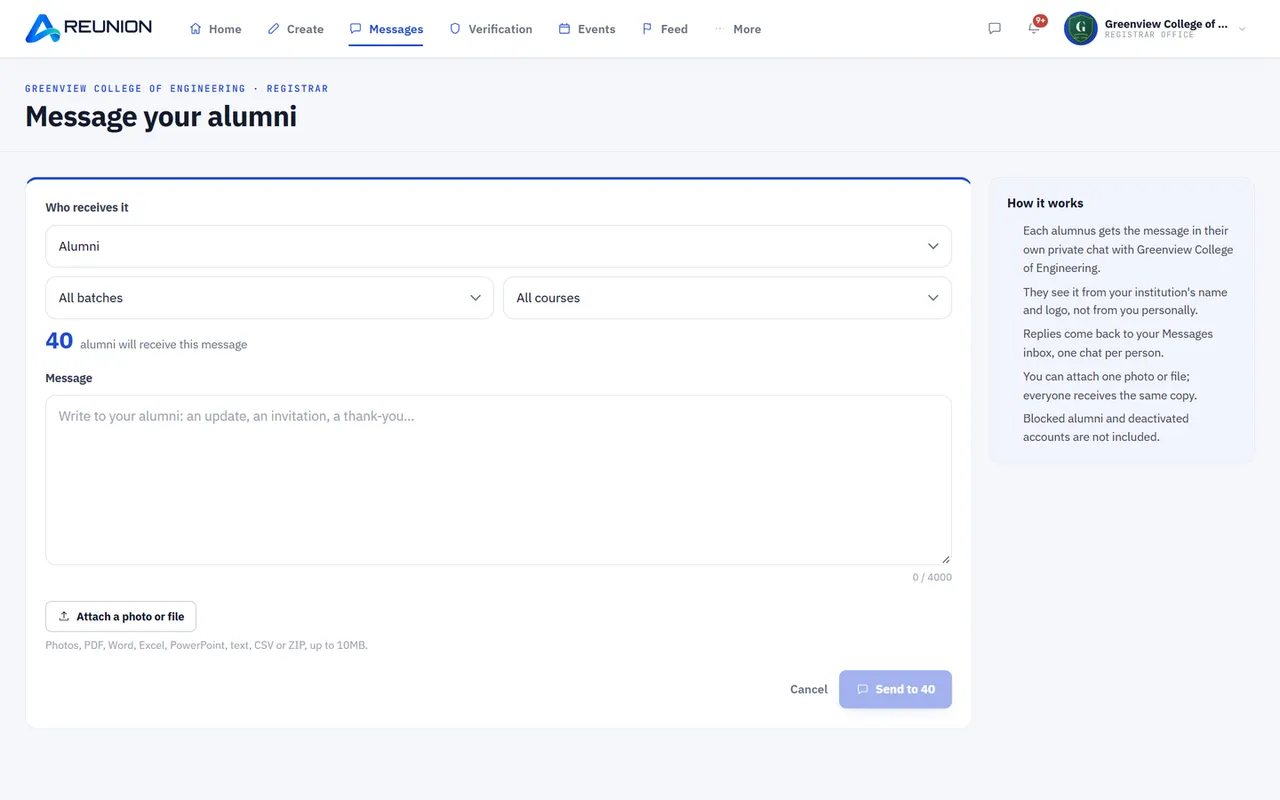
  • Message everyone, or one batch or course.
  • Events, news, gallery, awards and fundraising, in one place.
Register your institution

For alumni

Find your people. Then keep them.

  • Search by name, batch, city or what people do now.
  • Groups for your batch, your city and your interests.
  • Messages, group chat, events and reunions.
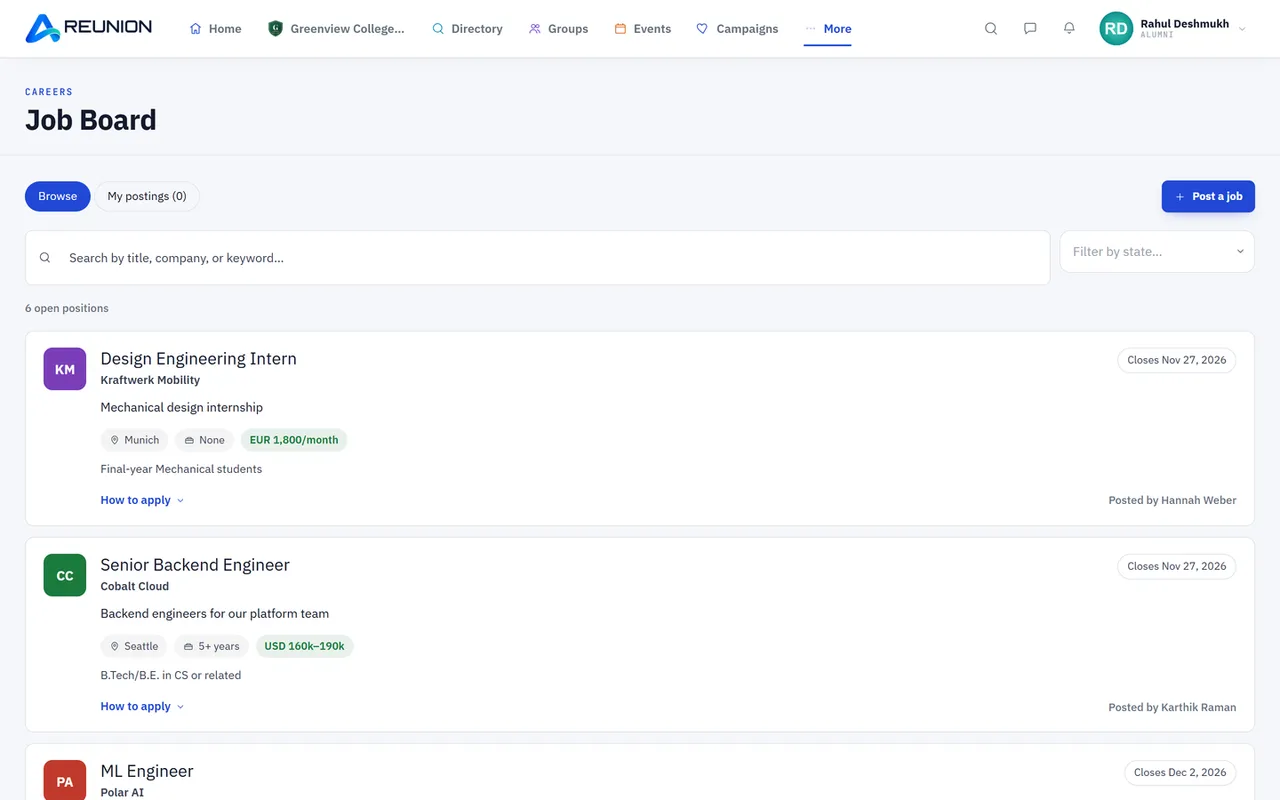
  • Jobs shared by people from your own institution.
Join your alumni network

For teachers & staff

The people who taught you have a place too.

  • Current and former staff, verified by the institution.
  • "Your teachers" for alumni, "My students" for teachers.
  • Tributes from former students.
  • A staff-only room, posts and events.
Join as staff

Where they went

Your alumni didn't stay put. Now they're one search away.

Flying to Dubai next month? See who from your batch lives there.

Plan a London meet-up in an afternoon, not a year.

Registrars see the whole map: every country, city and profession.

The alumni insights map
131features in one platform
5privacy levels for every detail
24staff roles, ready to use
1verified register, yours

Everything included

One platform. 131 features. Zero spreadsheets.

Pick who you are, then a topic. Everything here is already built and live.

Getting started in Reunion

01 · For institutions

Getting started

  • Apply to join An institution fills the "Register your institution" form on the website and gets a link to track its application status.
  • Registrar login A separate institution console for the registrar (institution administrator).
  • Institution home An editorial home page (not a dashboard) with applications first, then members, active in the last 30 days, countries, profile completeness, daily activity, top countries, "What they do" ranked list of professions, batches, newest members, a to-do desk, upcoming birthdays, rating and latest review, top post, awards and a faculty & staff tile.
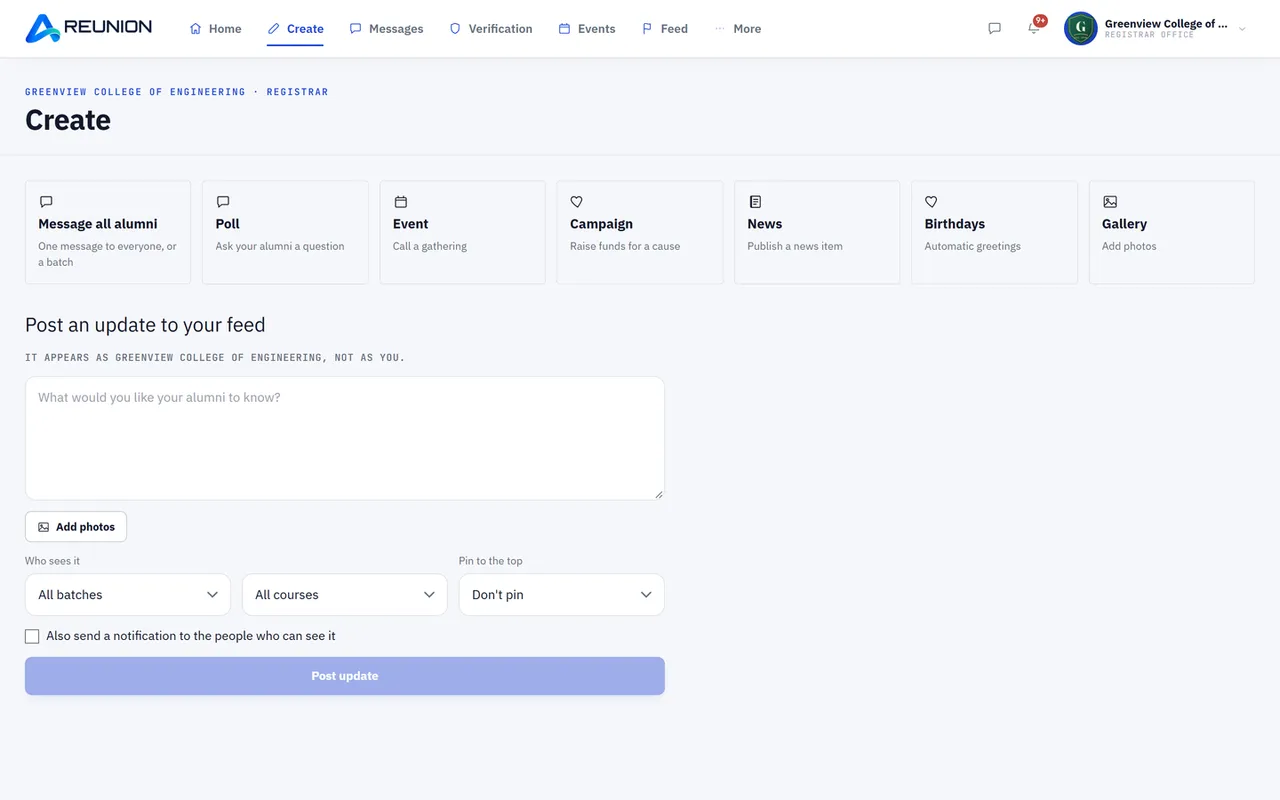
  • Create hub One place to make a post, poll, event, news item, campaign or gallery upload.
Institution profile & branding in Reunion

02 · For institutions

Institution profile & branding

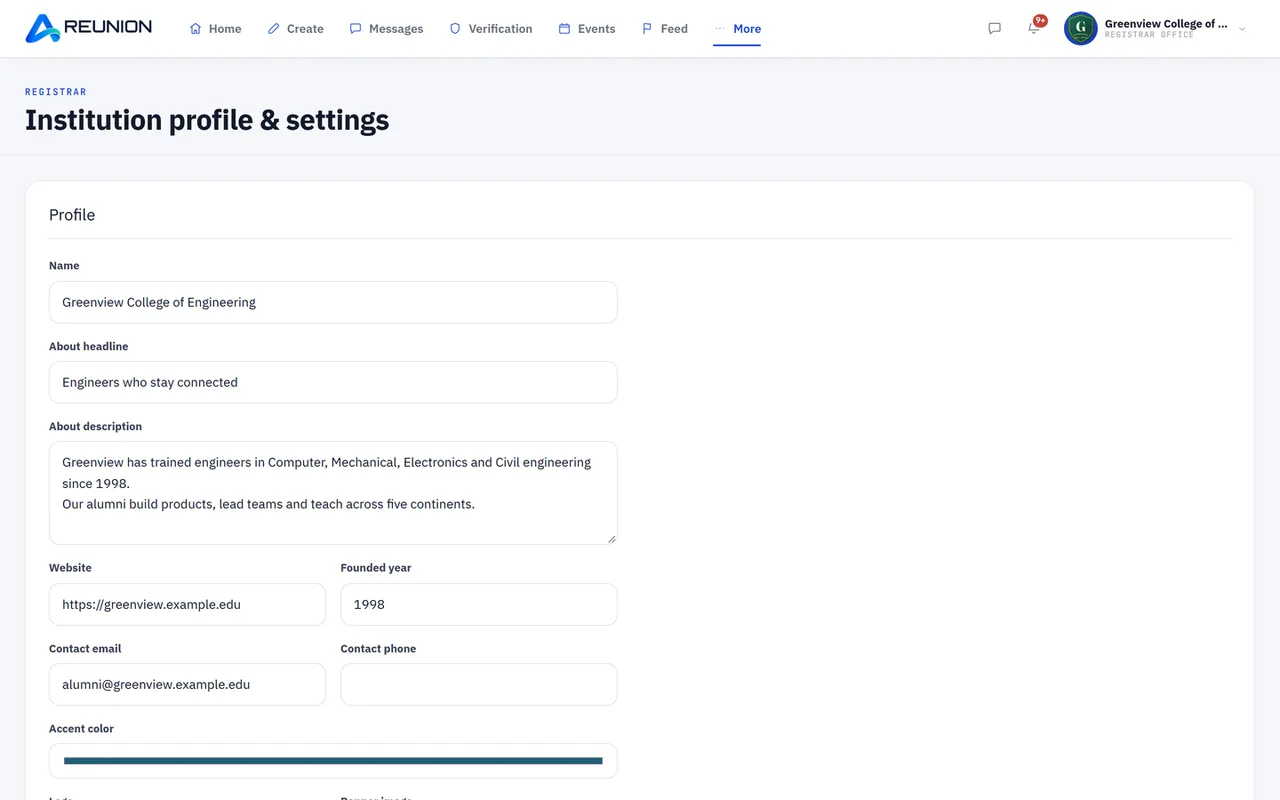
  • Settings Name, logo, banner, accent colour, description, about headline, founded year, website, contact email and phone, social links.
  • Credentials Accreditations, management and alumni committee details, alumni cell email and phone.
  • Custom sign-up link A referral slug giving the institution its own join page (/join/your-name) and its own login page.
  • Public opening page Branded landing page with counters, photo gallery picks, alumni reviews and the faculty section; counters and reviews can each be shown or hidden.
  • Feature switches Turn group chat on or off; allow or block polls created by alumni.
Academics in Reunion

03 · For institutions

Academics

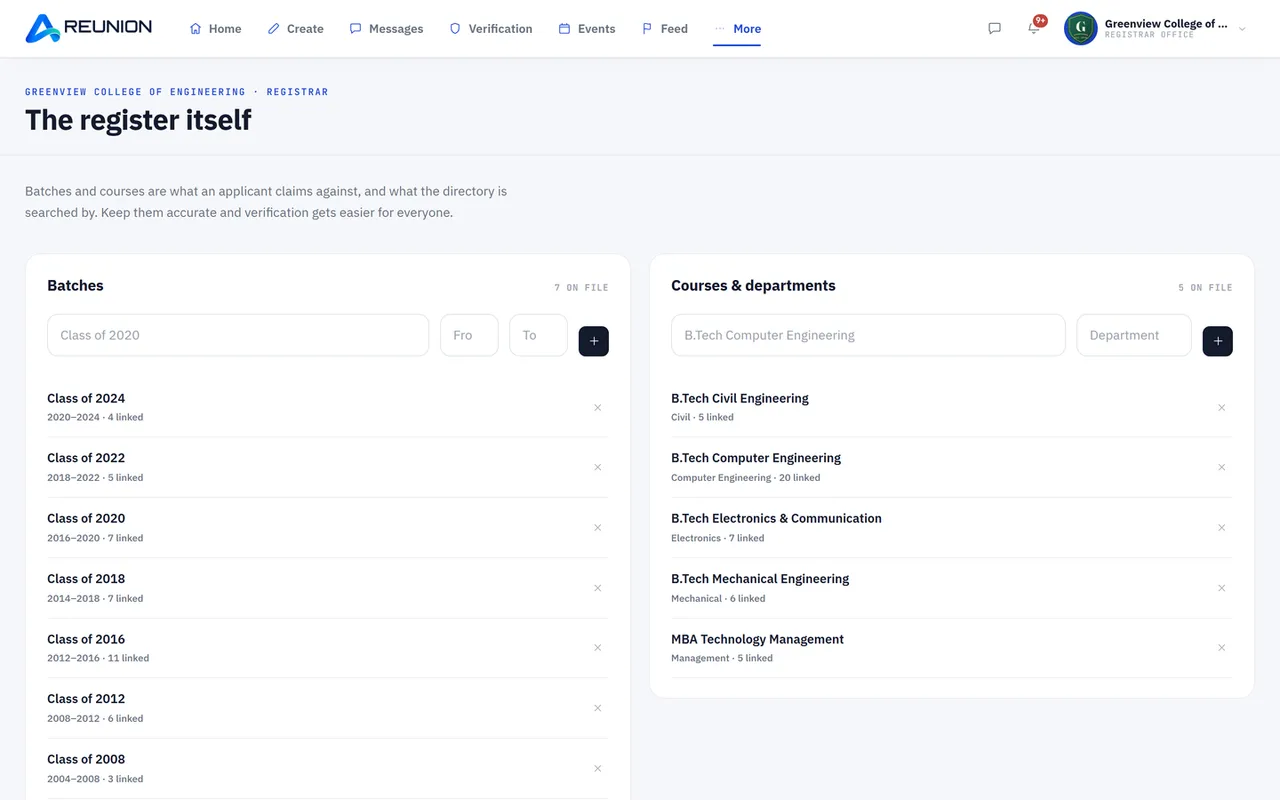
  • Courses Add and remove the courses the institution offers.
  • Batches Add and remove batches (class years) so alumni can pick theirs at sign-up.
Verifying alumni in Reunion

04 · For institutions

Verifying alumni

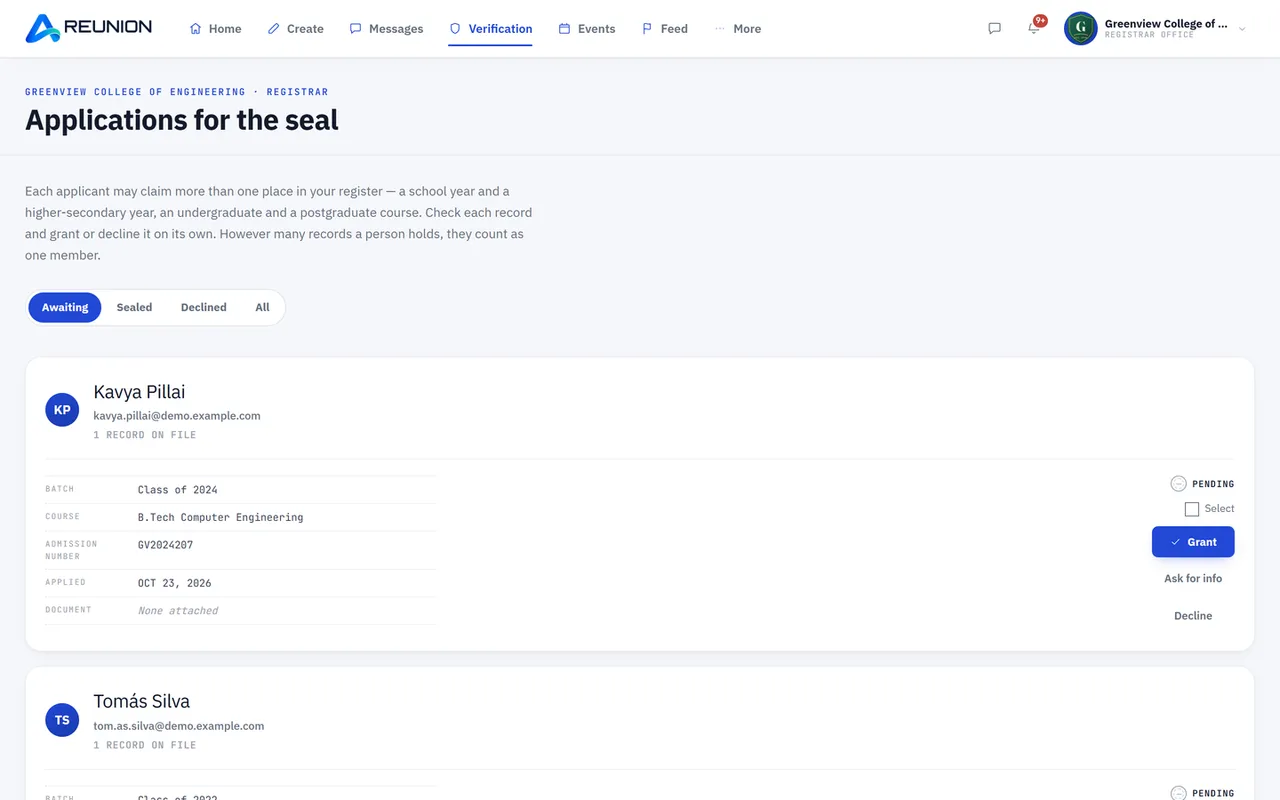
  • Verification queue Every alumni application with the student record, documents and the registrar seal design.
  • Approve or decline one by one, or approve or decline many at once.
  • Ask for more information Send the applicant a question; they answer and re-submit from their side.
  • Name-change requests Approve or decline an alumnus's request to correct their locked name.
  • Automatic email to the applicant on approval or decline; reminder emails to the registrar about pending applications.
Members in Reunion

05 · For institutions

Members

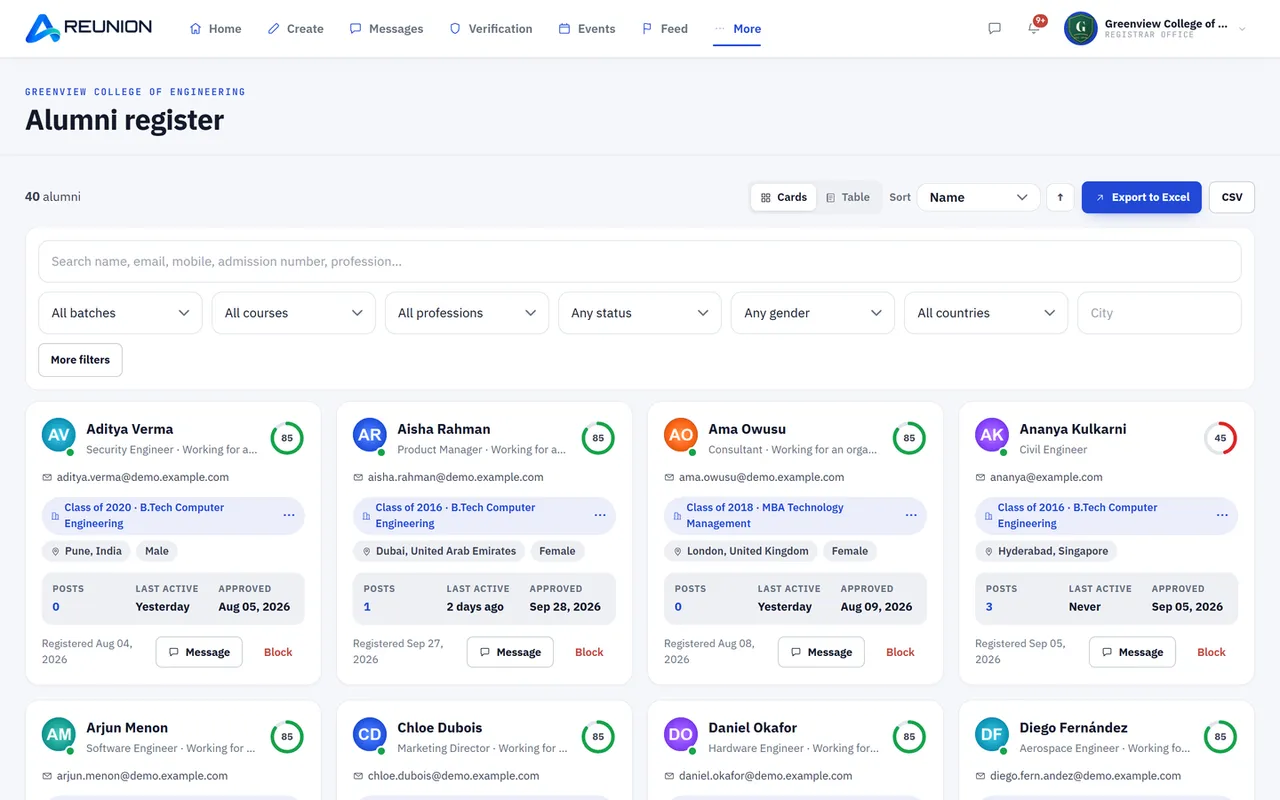
  • Members list with search and filters, plus export to a spreadsheet.
  • View any member's full profile and all their posts.
  • Suspend (with a reason), restore or remove a member's record.
  • Block a person from the institution, and reinstate them later.
  • Member seat limits follow the institution's plan (alumni only; staff never count).
Feed, posts & content in Reunion

06 · For institutions

Feed, posts & content

  • Post to the feed as the institution Text, up to 6 photos, polls; pin important posts.
  • Polls with a timer (1 hour to 7 days); results are announced automatically when a poll closes.
  • News Publish and delete institution news items.
  • Photo gallery Upload and delete photos; choose which photos appear on the public landing page.
  • Awards and recognitions Create, edit and delete awards given to alumni; shown on profiles and home.
  • Birthday greetings Set up the message the institution sends on members' birthdays.
Events in Reunion

07 · For institutions

Events

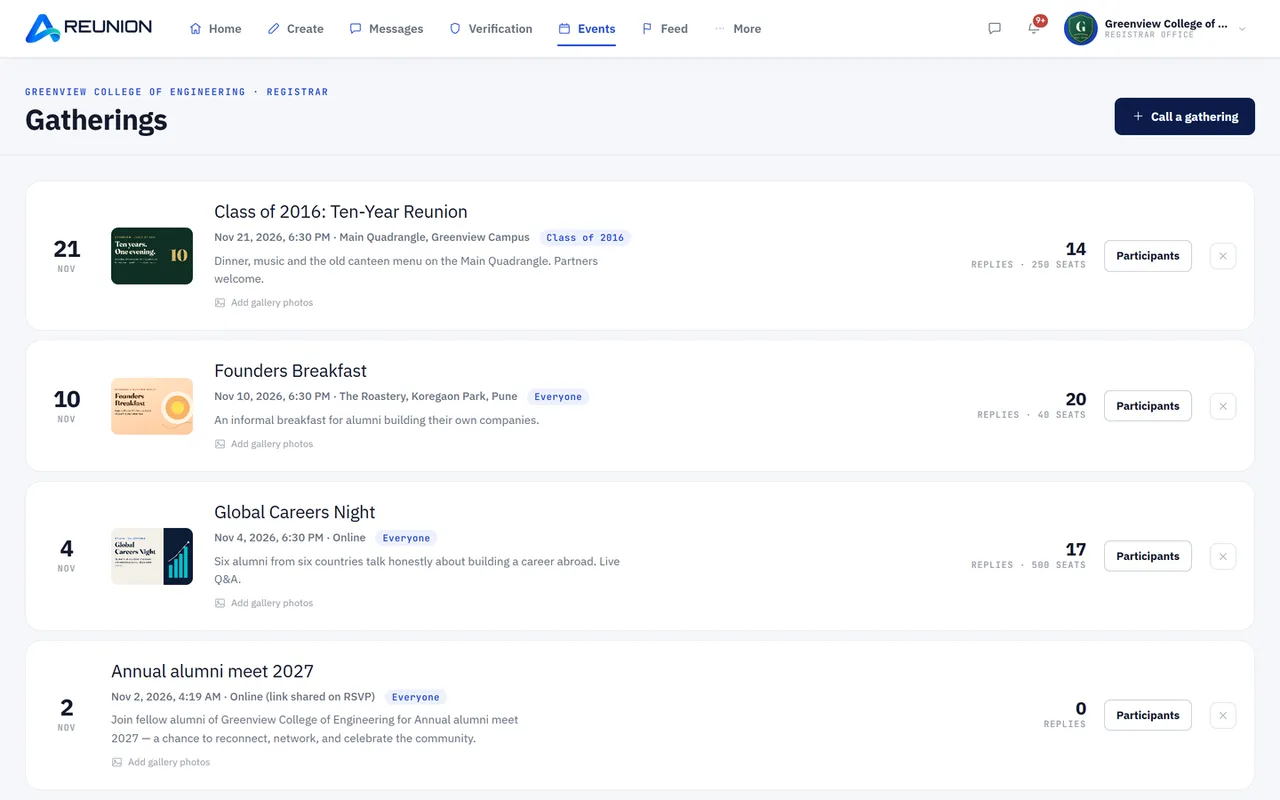
  • Create, edit and delete events with a poster, date, venue and description.
  • Draft or publish Keep an event as a draft and publish when ready.
  • Targeted events Invite everyone, chosen batches or courses, or faculty & staff.
  • Event photo gallery Add and remove photos after the event.
  • Participants list with RSVP status, exportable to a spreadsheet.
  • Automatic reminder emails to attendees before the event; "Add to Google Calendar" for members.
Groups in Reunion

08 · For institutions

Groups

  • Institution groups Create official groups with membership rules (everyone, chosen batches or courses, or staff only).
  • Invite members, add many at once, promote or demote moderators, remove members.
  • Group polls and group events, sent only to the group's members.
  • Moderator powers Remove posts and chat messages inside the group.
Messaging & engagement in Reunion

09 · For institutions

Messaging & engagement

  • Broadcast messages to alumni Pick the audience (all, batches, courses, or faculty & staff) and see how many people it will reach before sending.
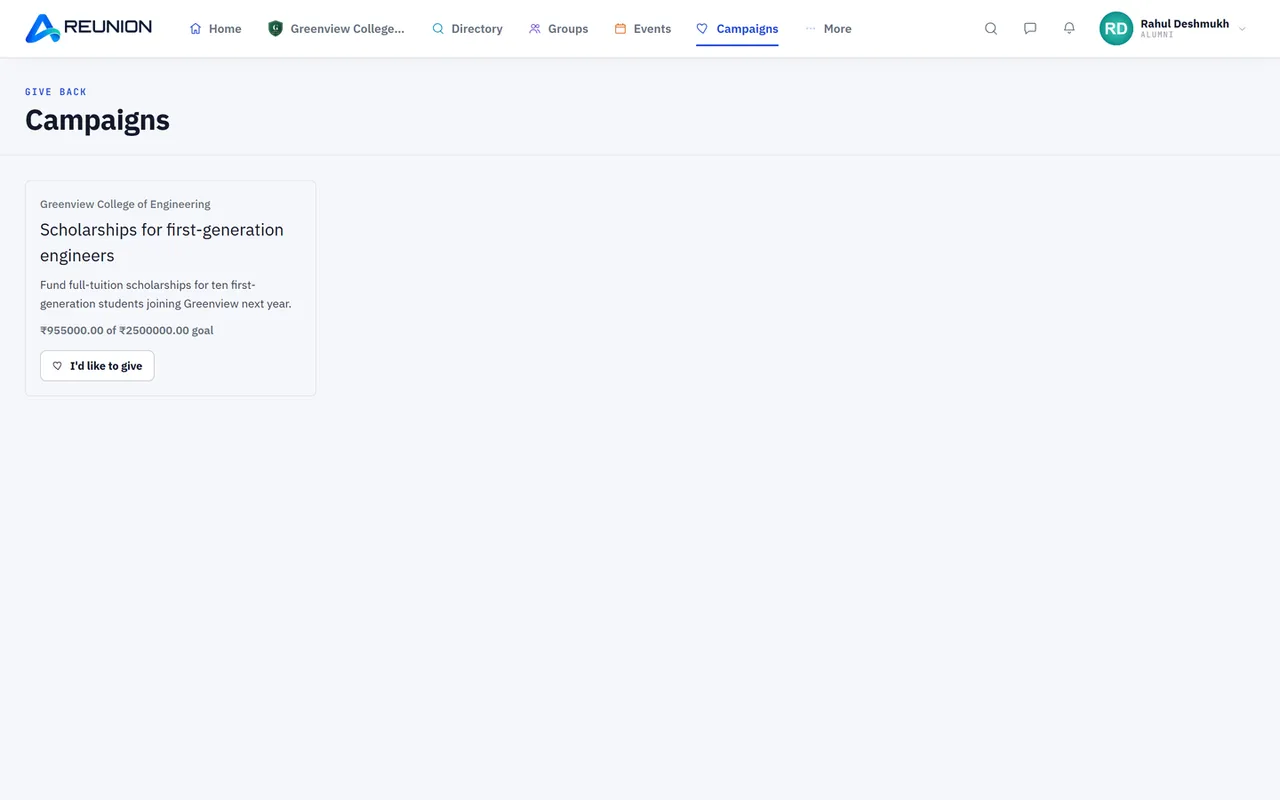
  • Fundraising campaigns Create a campaign with a goal, track pledges, close it when done.
Moderation & safety in Reunion

10 · For institutions

Moderation & safety

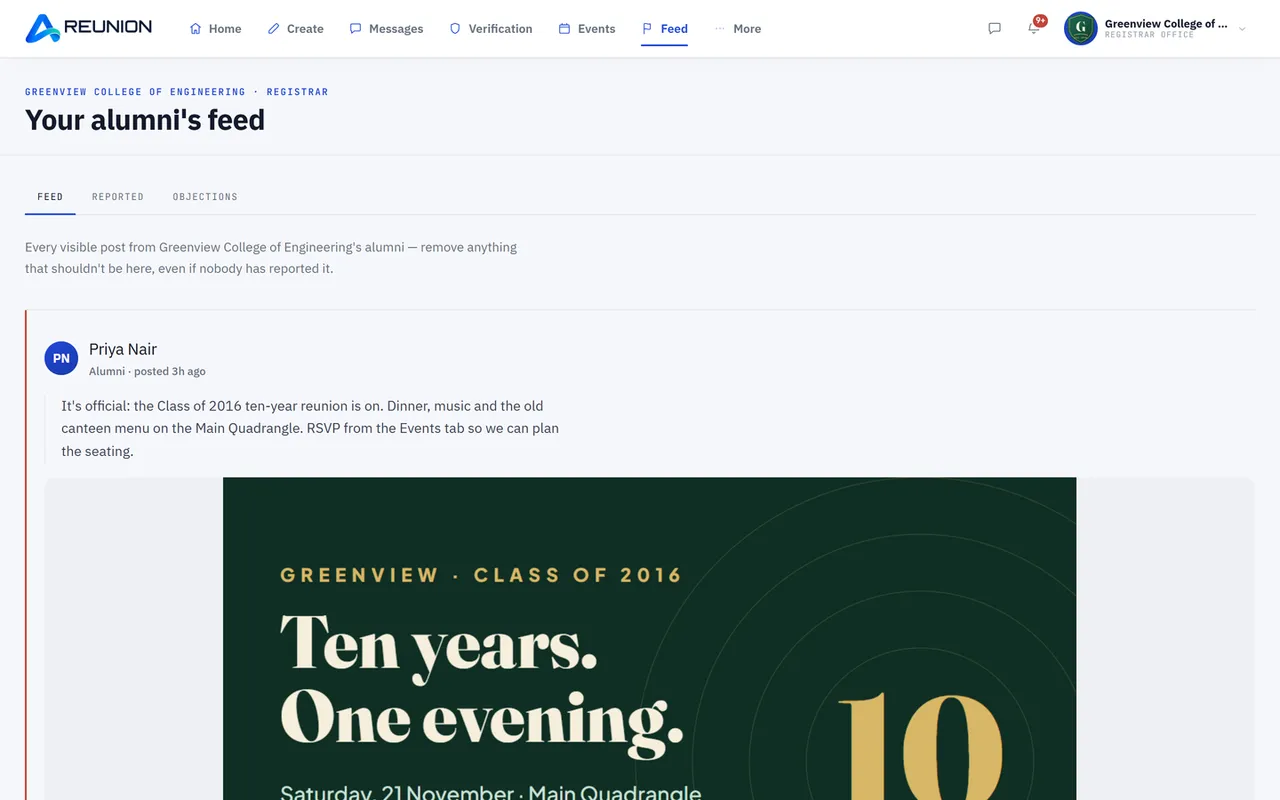
  • Moderation screen Reported posts, plus a "whole feed" view of every post.
  • Remove or dismiss reported posts; removed posts are shown to their author with the reason.
  • Objections Alumni can object to a removal; the registrar restores the post or upholds the removal.
  • Reports about people and posts in one reports screen, each handled with a decision.
Reviews in Reunion

11 · For institutions

Reviews

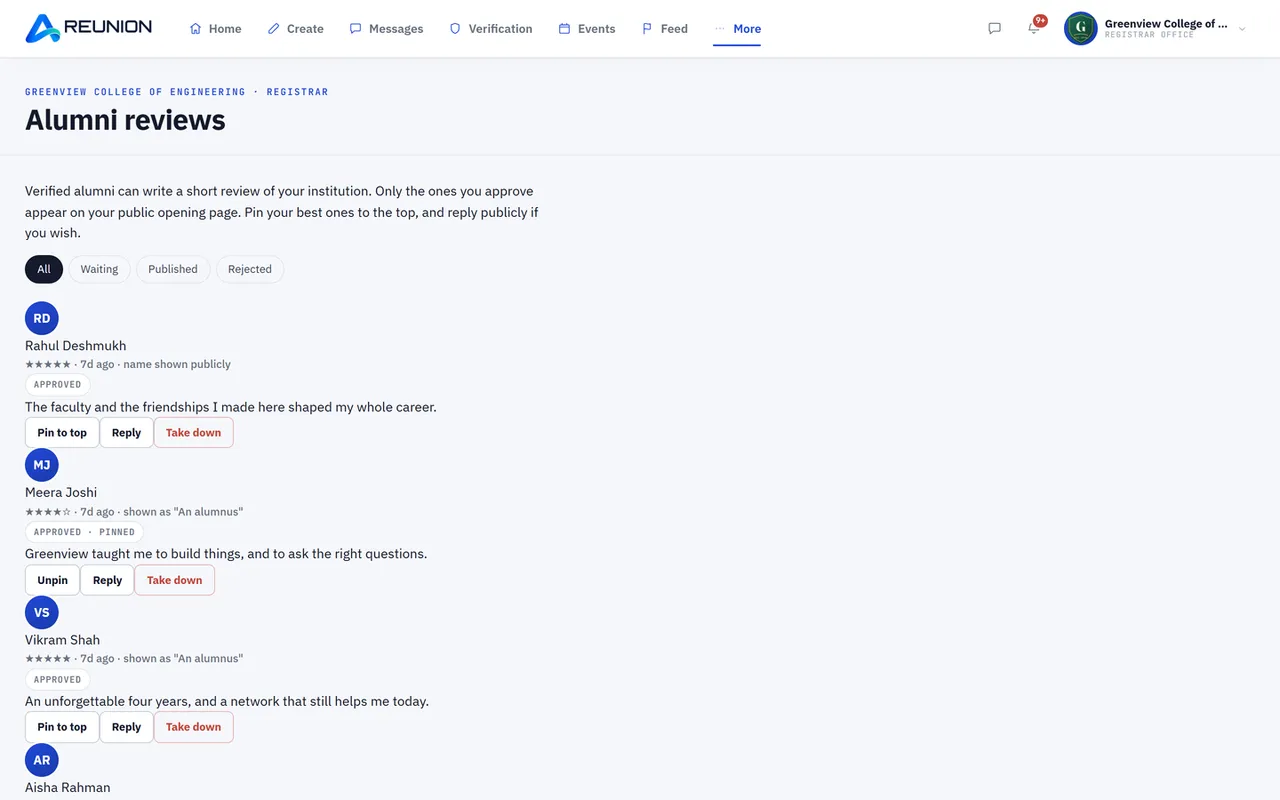
  • Alumni reviews of the institution Approve, reject, approve many at once.
  • Reply publicly to a review and feature the best reviews on the landing page.
  • One-time email invitation asking alumni to review the institution.
Insights & reports in Reunion

12 · For institutions

Insights & reports

  • Alumni insights World map of where alumni live, with country breakdown and per-country details.
  • Professions breakdown with export; filter by alumni or faculty & staff.
  • Daily activity graph with export.
  • Monthly summary email to the registrar.
Faculty & staff management in Reunion

13 · For institutions

Faculty & staff management

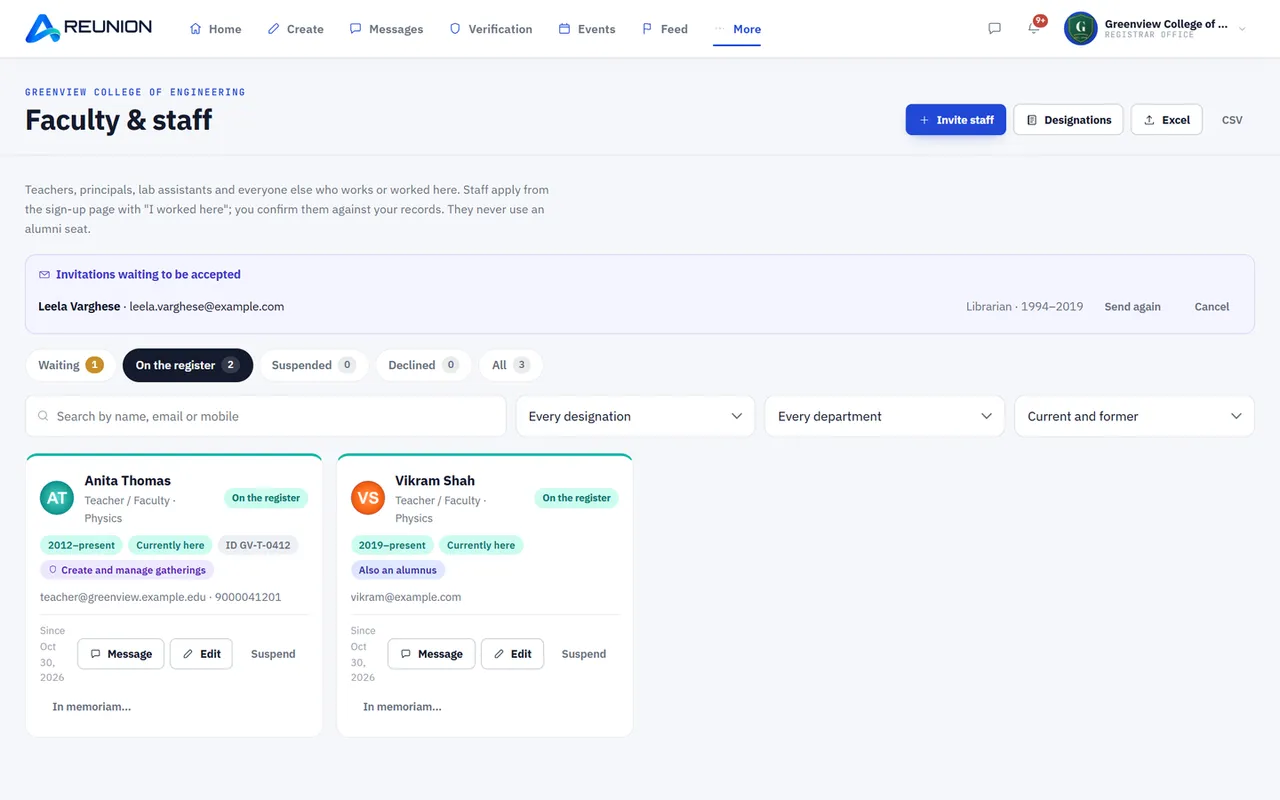
  • Staff register A separate list of current and former staff (teachers, principal, lab assistants and more), with export.
  • Designations A starter list of 24 roles that the registrar can add to, rename, reorder or remove.
  • Invite staff by email; resend or cancel invitations; staff can also apply themselves ("I worked here").
  • Verify former staff using registrar judgement, vouches from verified alumni, and uploaded documents.
  • Edit a staff record Designation, department, years served, current or former.
  • Confirm or decline staff changes (for example a teacher leaving or retiring).
  • Console permissions per person Give a staff member selected console powers (such as managing events); current staff only.
  • Tributes Approve or decline tributes alumni write about teachers.
  • In memoriam Mark a staff member as passed away (the account is locked and an announcement can be made), with undo.
  • Show staff on the public landing page (Faculty section).
  • Staff room A staff-only group, plus staff-only posts and events.
Joining & signing in in Reunion

01 · For alumni

Joining & signing in

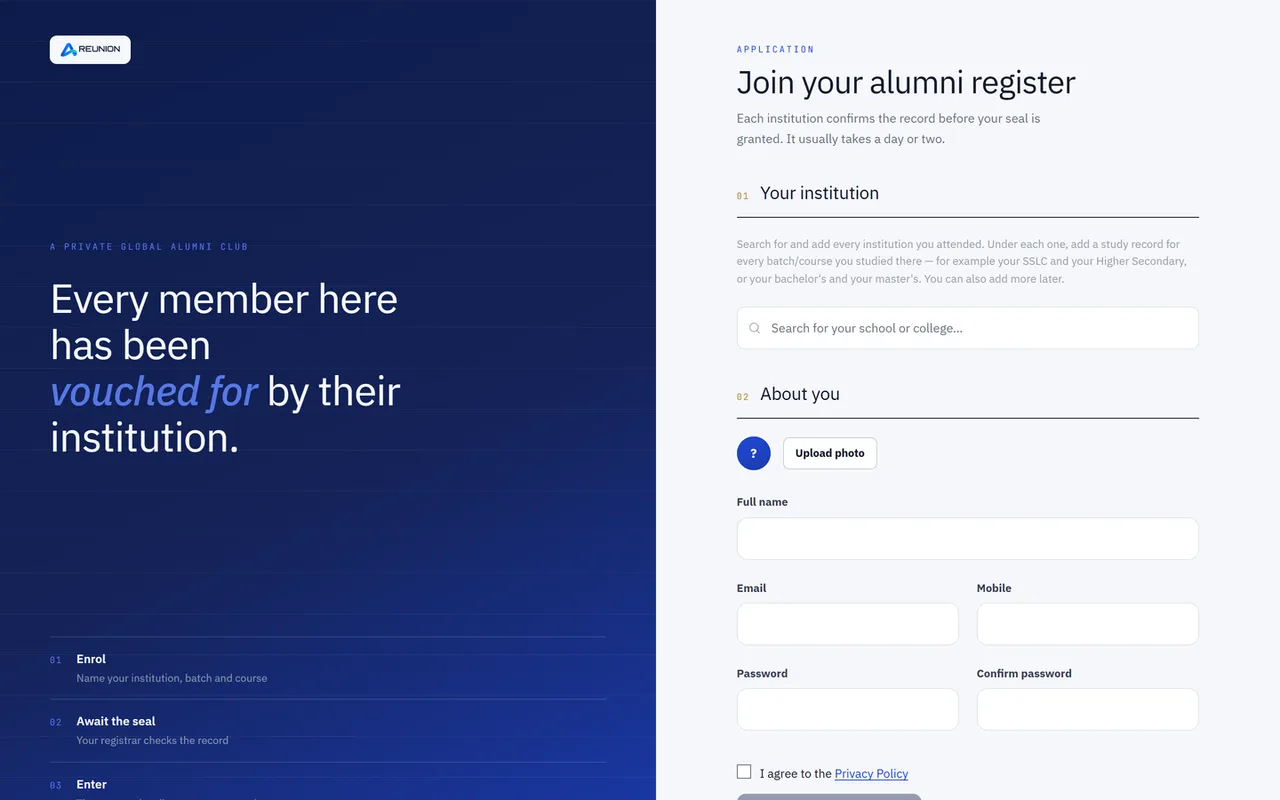
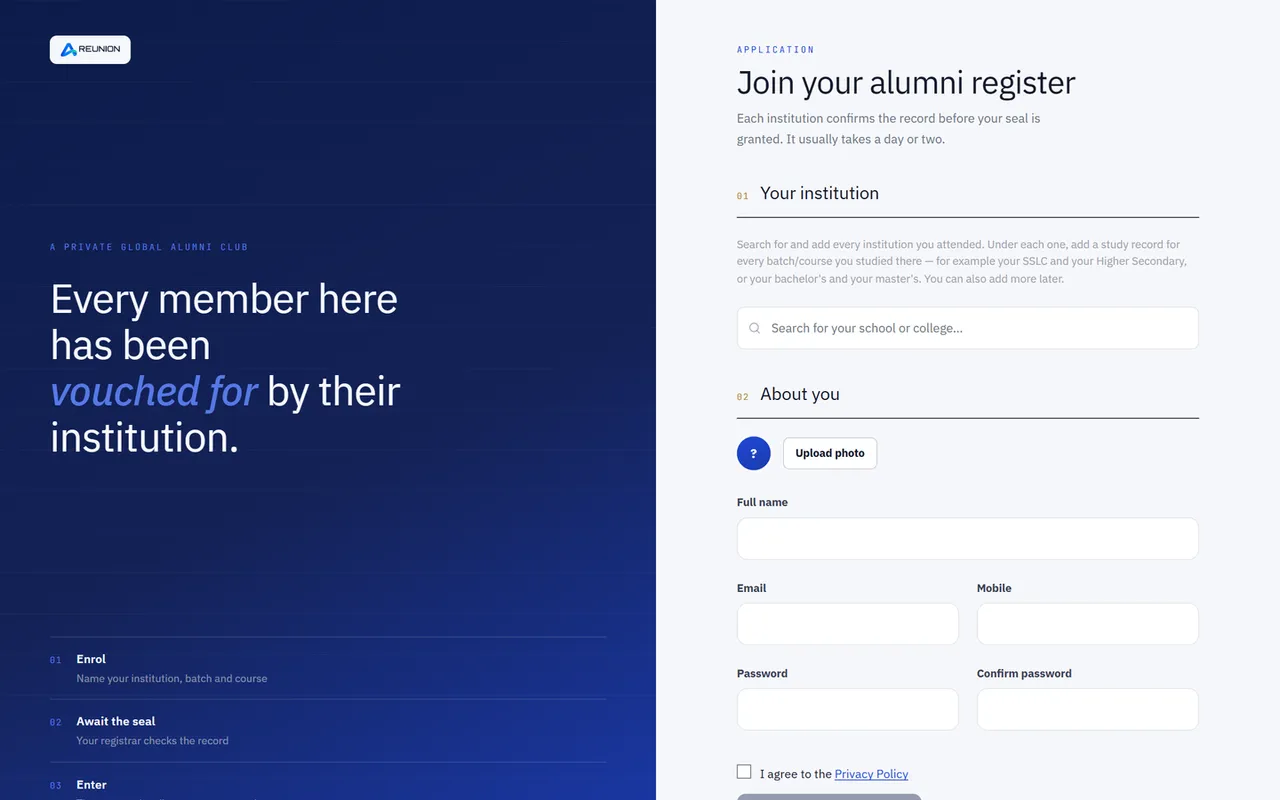
  • Sign up with email, mobile and password; choose one or more institutions, course and batch, and upload a supporting document (optional).
  • Sign in with Google or Apple.
  • Email verification by link; password reset by a 6-digit emailed code.
  • Join through an institution's own link and branded login page.
  • Accept the platform terms (Terms, Privacy, Community guidelines) at sign-up or before using the app.
  • Add more study records later Another institution, or another batch at the same institution.
  • Answer a registrar's "more information" request and re-submit the application.
  • Leave one institution while keeping the account.
  • Profile-completion onboarding after the first verification.
Profile & CV in Reunion

02 · For alumni

Profile & CV

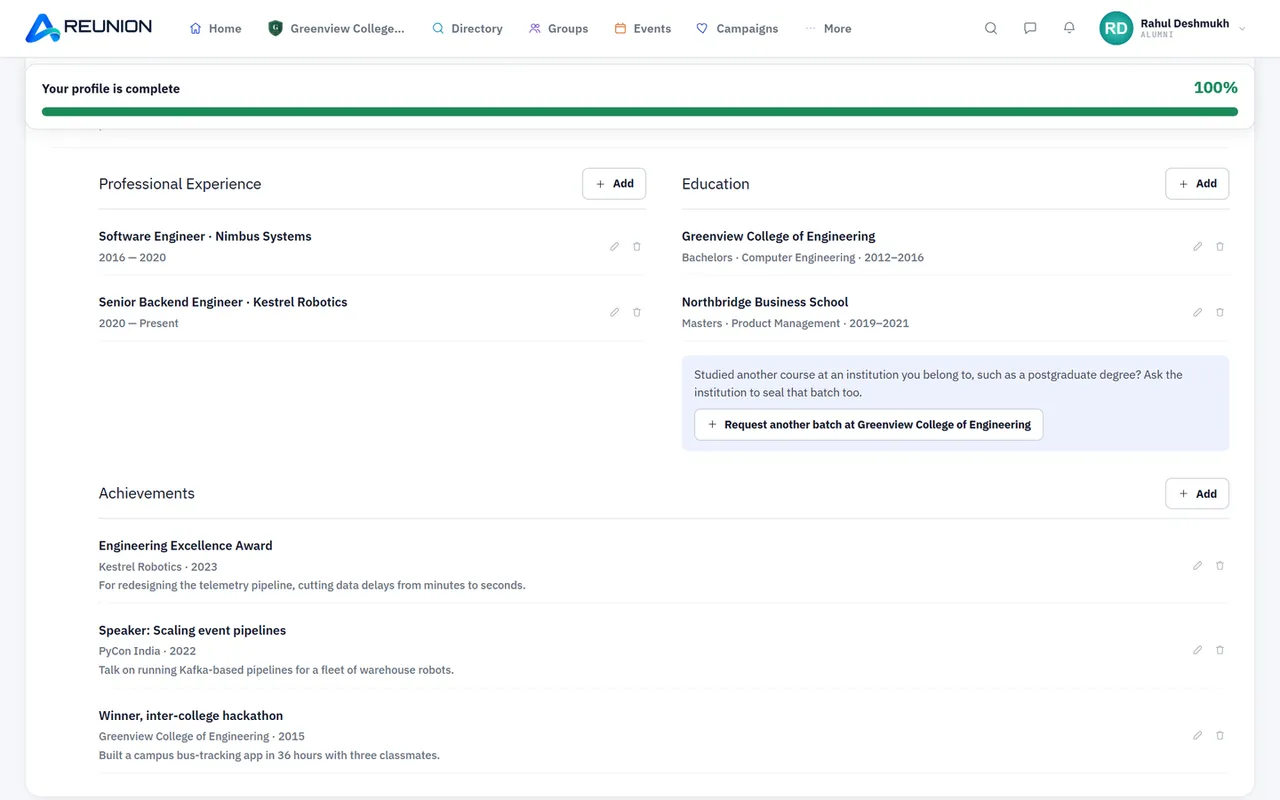
  • Profile photo (large "passport" view), bio, "What you do?", profession (searchable list), organisation, designation, professional status.
  • Gender, date of birth, city, country (searchable list), address, mobile, social links.
  • Education with qualification type (bachelors, masters, honours, PhD and more); add, edit, delete.
  • Professional experience (years); add, edit, delete.
  • Achievements; add, edit, delete.
  • Résumé upload (PDF) and removal.
  • Profile completion meter.
  • Name locked after verification; request a name correction from the institution.
  • Awards from the institution and tributes shown on the profile.
Privacy & safety in Reunion

03 · For alumni

Privacy & safety

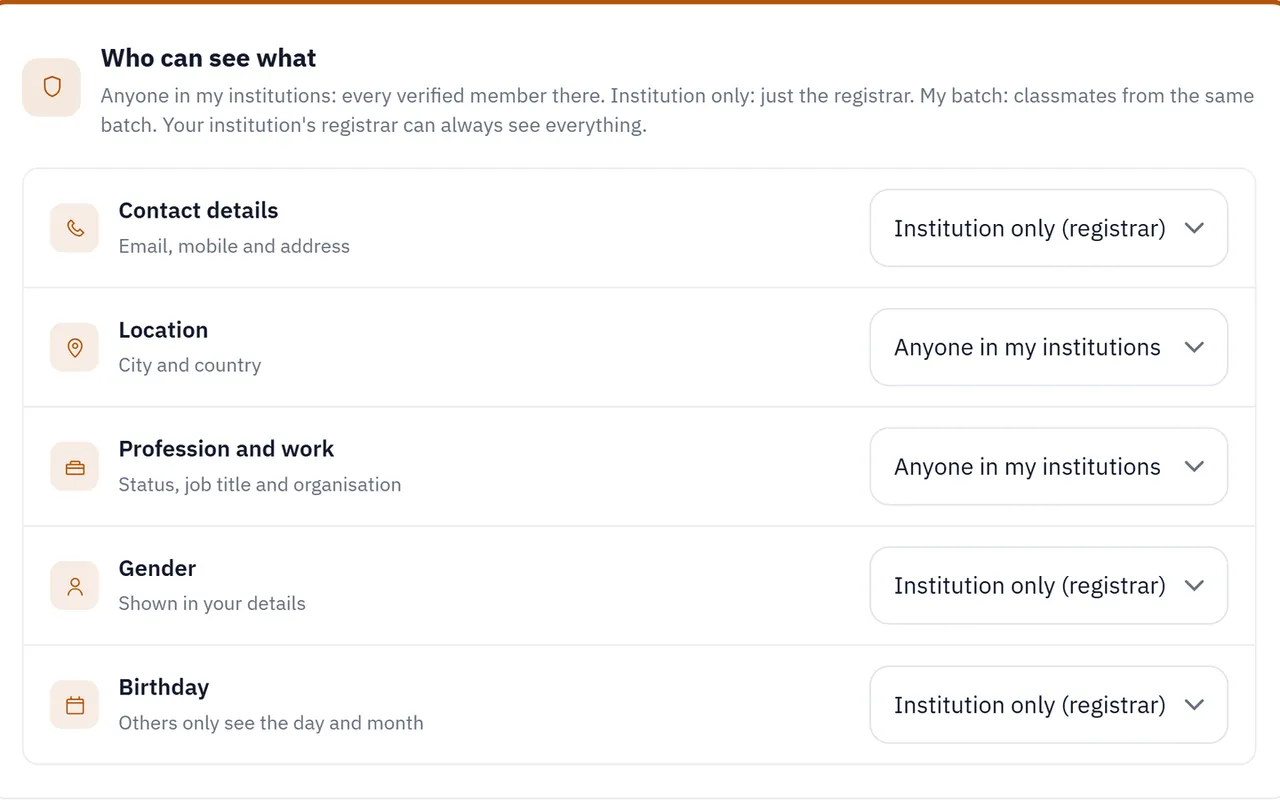
  • "Who can see what" Five levels (everyone, my institution, my batch, my connections, only me) for contact details, location, profession, gender and date of birth.
  • Block and unblock people; blocked list in settings.
  • Report a post or a person.
  • See why a post was removed and file an objection.
  • Deactivate the account, or delete it permanently.
Community feed in Reunion

04 · For alumni

Community feed

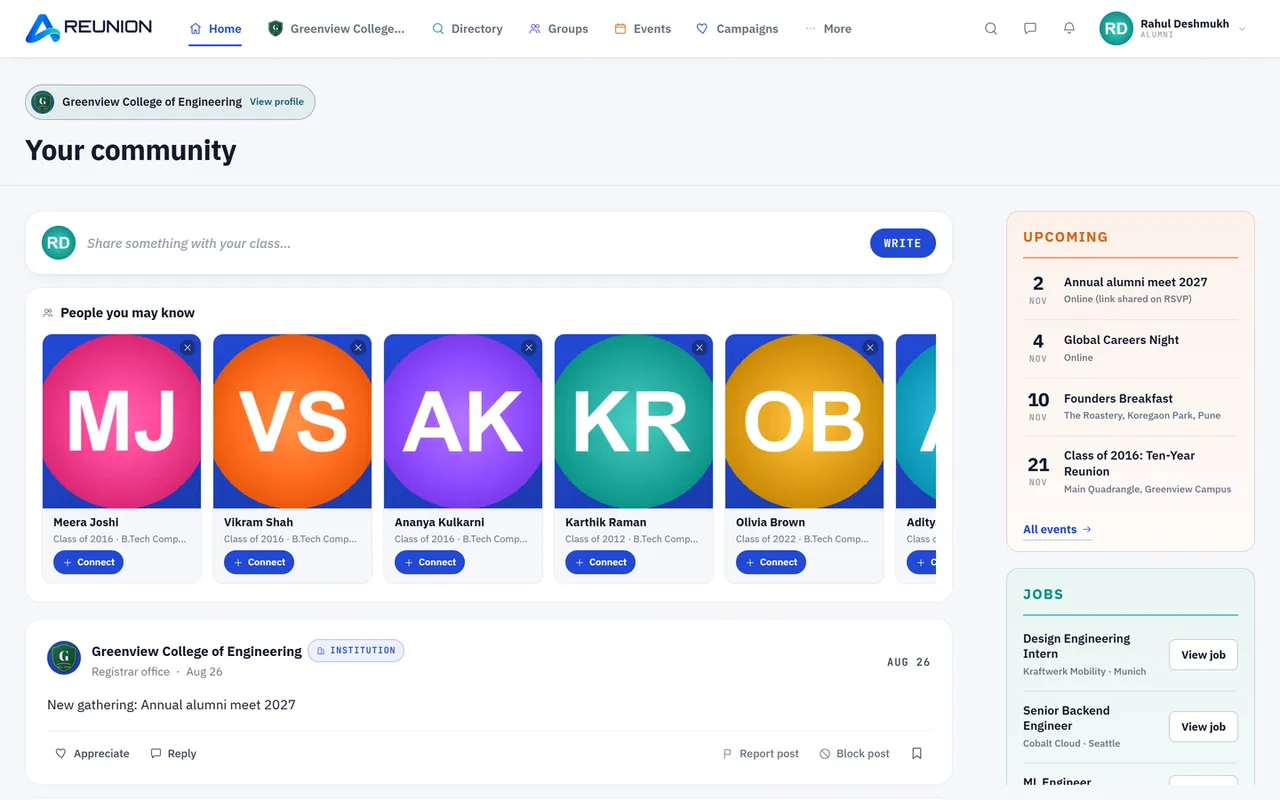
  • Feed of posts from your institution(s), with institution filter.
  • Post text and up to 6 photos; delete your own posts.
  • Like posts, comment, like comments, delete your comments.
  • Create polls (when the institution allows) with a timer; vote; see results when they close.
  • Save posts and view them later in "Saved".
  • Birthday cards and pinned institution posts on the home page.
  • View another member's profile and all their posts.
People & directory in Reunion

05 · For alumni

People & directory

  • Alumni directory with search by name, place, profession, batch, course and institution.
  • Faculty & staff tab in the directory.
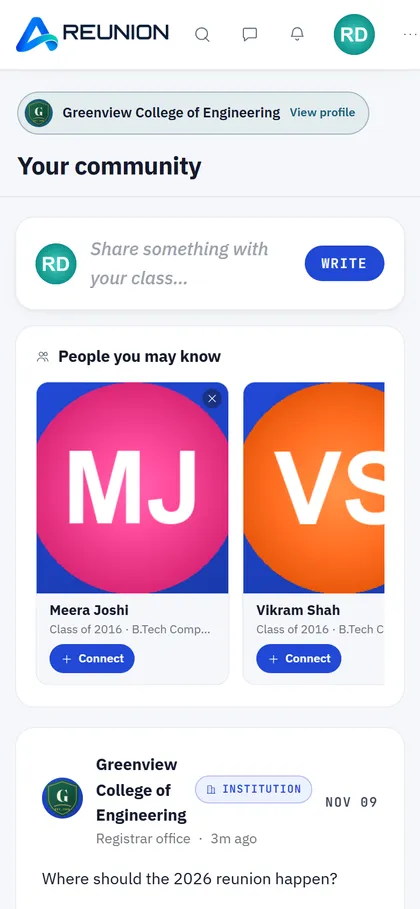
  • "People you may know" Suggestions from the same course or batch.
  • "Your teachers" on the home page (staff who taught your batch).
Connections & messages in Reunion

06 · For alumni

Connections & messages

  • Send, accept, decline and remove connection requests.
  • One-to-one messages with connections, with photo, audio and video attachments.
  • Read old messages after disconnecting (sending is turned off).
  • Message any teacher of your institution once connected.
Groups in Reunion

07 · For alumni

Groups

  • Browse and join groups; create your own alumni groups.
  • Group invitations Accept or decline.
  • Group feed, group polls and group events with RSVP.
  • Group chat with text, photos, audio and video (when the institution has chat turned on).
  • Moderators can add and remove members, promote moderators and remove posts or messages.
Events in Reunion

08 · For alumni

Events

  • Events list with the next event shown as an invitation card; RSVP.
  • Add events to Google Calendar.
  • Event photo galleries.
  • Reminder emails before events you are attending.
Institution page & reviews in Reunion

09 · For alumni

Institution page & reviews

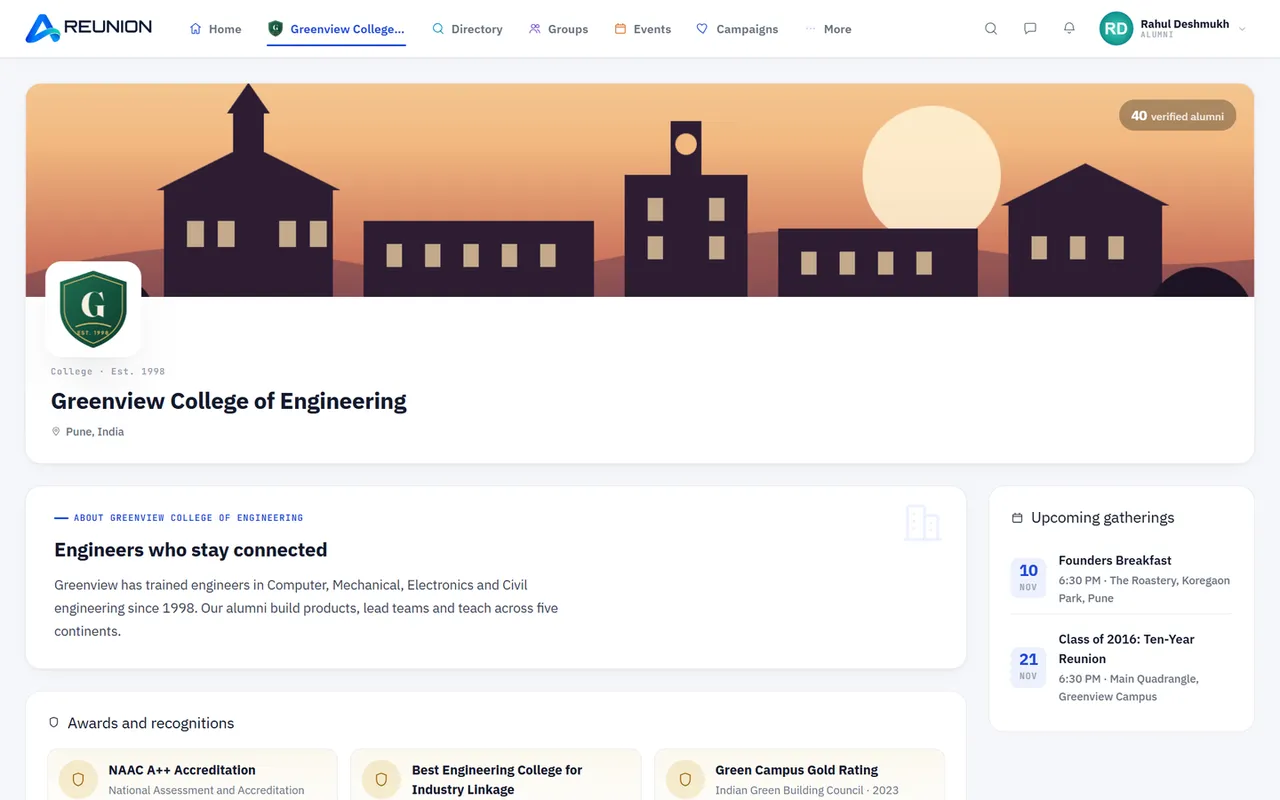
  • Institution profile page with details, news, gallery, awards and faculty.
  • Write a review and star rating of your institution; edit it later.
Jobs in Reunion

10 · For alumni

Jobs

  • Job board Post a job, edit, hide/unhide, delete; browse and view jobs.
  • Optional email for every new job at your institution.
Fundraising in Reunion

11 · For alumni

Fundraising

  • View the institution's campaigns and pledge an amount.
Notifications & email in Reunion

12 · For alumni

Notifications & email

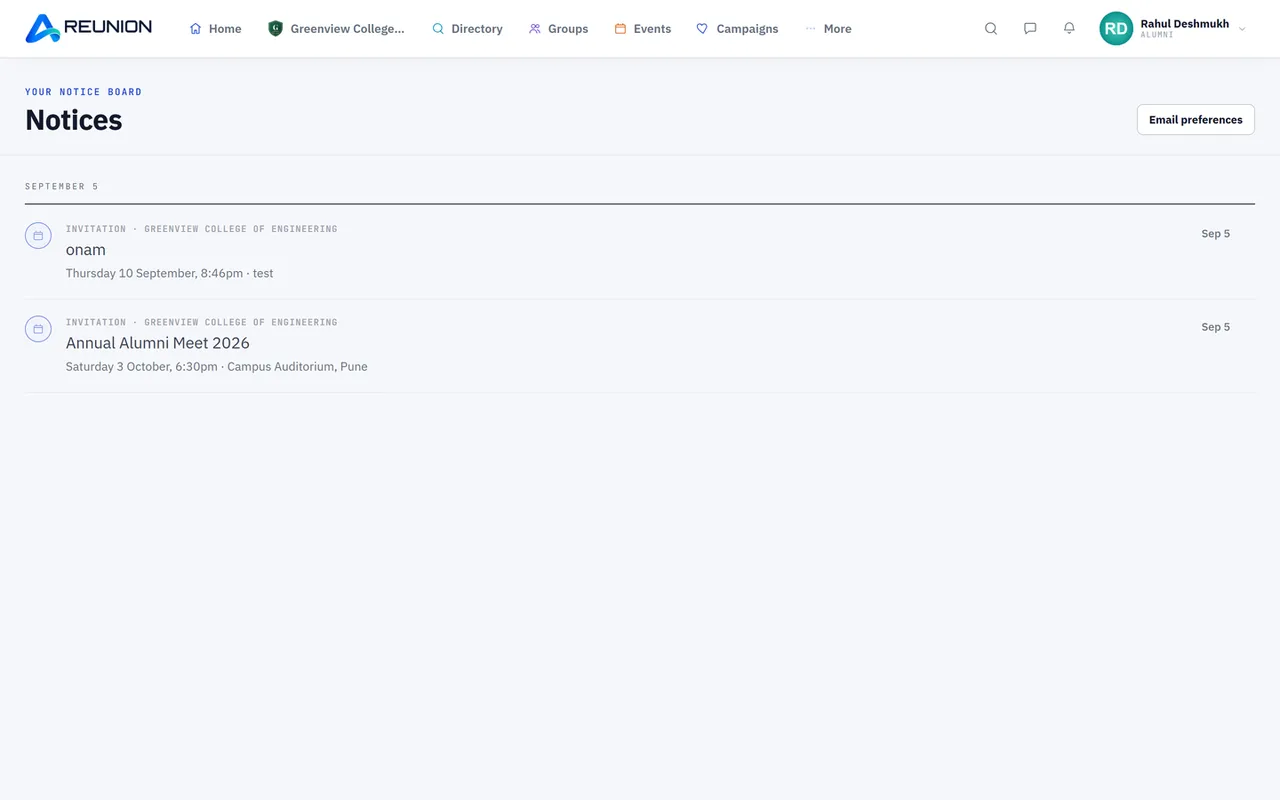
  • In-app notifications (connections, approvals, poll results, removals, invitations and more); mark one or all as read.
  • Email preferences Unread message reminders, weekly digest, event reminders, job alerts, birthday greetings, review invitation; one-click unsubscribe.
Feedback in Reunion

13 · For alumni

Feedback

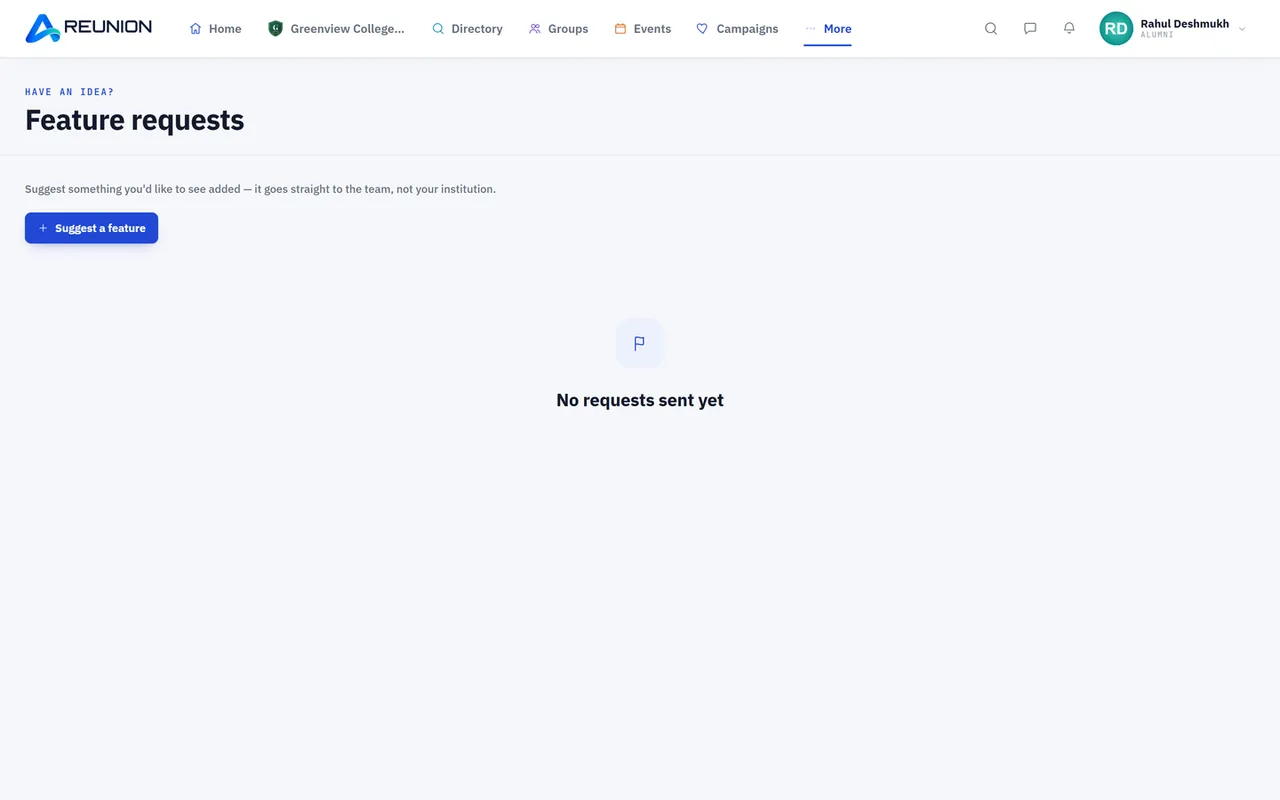
  • Feature requests Suggest a feature, follow its status and read replies.
Mobile app in Reunion

14 · For alumni

Mobile app

  • Everything above is also available in the Flutter mobile app (iOS and Android) through the same account.
Joining in Reunion

01 · For teachers & staff

Joining

  • Join as staff "I worked here" at sign-up or on "Apply", or accept an email invitation from the registrar.
  • Current and former staff, with designation, department and years served.
  • Dual role A person can be both an alumnus and a staff member of the same institution.
  • Former staff can be vouched for by verified alumni.
Profile & recognition in Reunion

02 · For teachers & staff

Profile & recognition

  • Distinct "Faculty & staff" badge on posts, comments and profiles.
  • Edit your own staff role; mark the batches you taught.
  • Tributes from alumni; choose whether each tribute is shown on your profile.
  • Listed in the Faculty section of the public landing page (when the registrar allows).
Community in Reunion

03 · For teachers & staff

Community

  • Full member features Feed, groups, events, directory, jobs and profile like alumni.
  • "My students" on the home page (the batches you taught).
  • Message anyone in your institution; alumni need a connection to message you.
  • Staff room Staff-only group, staff-only posts and staff-only events.
  • Console powers granted by the registrar (for example managing events or posting as the institution).
  • Report a change (leaving, retiring); the registrar confirms it.

In your pocket

The whole network on your phone.

Messages, groups, events and the directory, on the web and in the Reunion app. One account, everywhere.

Reunion on a phone

Privacy

Your details. Your rules.

Every member decides who sees each personal detail. Try it: pick who is looking at this profile.

AR
Ananya Rao Class of 2016 · B.Tech, Computer Science
  • Works asProduct designerEveryone
  • Lives inBengaluru, IndiaMy institution
  • Birthday14 MarchMy batch
  • Phone+91 98•• ••• 210My connections
  • GenderFemaleOnly me

Verified by your institution

Nobody joins by just claiming they belong. The registrar checks every record before the seal appears.

Report, block, object

Members can report posts and people, block anyone, and object if one of their posts is removed.

Your account, your call

Accept the terms in the app, and deactivate or delete your account any time, on the web or on your phone.

Questions

Good questions. Short answers.

Who is Reunion for?

Schools, colleges and universities that want to stay close to their alumni, and the alumni, teachers and staff themselves.

How do alumni join?

They sign up, choose their institution, course and batch, and can add a supporting document. The registrar checks the record and approves it, declines it, or asks for more information. Approved members get the verified seal.

Can teachers and staff join too?

Yes. Current and former staff can apply, or the registrar can invite them by email. Alumni can vouch for former staff, and the registrar can give individual staff members selected console permissions.

Who can see my phone number and other details?

You decide. Each personal detail has its own setting: everyone, your institution, your batch, your connections, or only you.

Is there a mobile app?

Yes. The same account works on the web and in the Reunion mobile app.

Can our institution use its own logo and colours?

Yes. Every institution gets its own page and join link, with its logo, banner and accent colour.

What does it cost?

Plans depend on the size of your alumni community. Register your institution and we'll take it from there.

Bring everyone back.

Open your institution's register today. Your alumni are waiting for the invitation.

Invite your institution

Bring your school or college onto Reunion.

Tell us where you studied. Add their email and we'll send them your invitation as soon as you confirm it. You'll also get a personal invite link to share.